Ok, I’ll have to take a look.
OS8 is probably something completely different though, as that’s still beta. So I’ll focus on OS7 for the purposes of this thread.
Ok, I’ll have to take a look.
OS8 is probably something completely different though, as that’s still beta. So I’ll focus on OS7 for the purposes of this thread.
I “think” I see what’s wrong, but fixing may take a little testing. I probably won’t get enough time until the weekend. I’ll update when I get it sorted.
Sound good. I’ll help test if you need.
I was able to fix- it turned out to be pretty simple, you’ll need to refresh the library to get updated code.
Thanks! FIx verified, works great 
Thanks, glad to hear.
Trying out some the new gesture control special abilites.
Takes practice but very cool!
I did noticed that I’m getting some double play back of altchg.wav on transition. Not always, but it sounds like an echo when you hear it.
Top section:
/* copyright Fett263 CustomBlade (Primary Blade) OS7 Style
https://fett263library.com/early-access/#CustomBlade
OS7.15 v4.21
Single Style
Multi Phase (Gesture Based Special Abilities*) Transition: Ripple Up Strike Center, Time: 1000

Default: The Duel: Ronin [BaseColorArg (Color Pulse = Shift: 4096, Speed: 20)
]
- Trigger: Special Ability 1
1: Kylo Ren Unstable (Supreme Leader) [AltColor2Arg]
- Trigger: Point Up then Quick Turn
2: The Duel: Bandit Leader [AltColorArg]
- Trigger: Point Down then Quick Turn
3: Hyper Responsive Rotoscope (Original Trilogy) [AltColor3Arg]
- Trigger: Hold Parallel & Quick Turn

Multi Phase Control: use Gestures/Special Abilities controls to change Phase. Requires Alt Font.

NOTE:This style includes Control Layer. Only one Control Layer should be used per preset.

*This style REQUIRES Alt Fonts alt000/ to alt003/ to be set up. Uses altchng.wav on change.
See https://pod.hubbe.net/sound/alt_sounds.html for more information.
--Effects Included--
Ignition Effect: Standard Ignition [Color: IgnitionColorArg]
Retraction Effect: Standard Retraction [Color: RetractionColorArg]
Lockup Effect:
0: mainLockMulti0Shape - Begin: Real Clash - Style: Intensity AudioFlicker - End: Full Blade Absorb
[Color: LockupColorArg]
Lightning Block Effect:
0: mainLBMulti0Shape - Begin: Responsive Impact - Style: Strobing AudioFlicker - End: Full Blade Absorb
[Color: LBColorArg]
Drag Effect:
0: mainDragMulti0Shape - Begin: Wipe In - Style: Intensity Sparking Drag - End: Wipe Out
[Color: DragColorArg]
Melt Effect:
0: mainMeltMulti0Shape - Begin: Wipe In - Style: Intensity Melt - End: Wipe Out
[Color: StabColorArg]
Blast Effect: Blast Wave (Random) [Color: BlastColorArg]
Clash Effect: Real Clash V1 [Color: ClashColorArg]
Special Ability 1: Select Phase #0

*/

* copyright Fett263 CustomBlade (Accent LED / PCB) OS7 Style
https://fett263library.com/early-access/#CustomBlade
OS7.15 v4.21
Single Style
Multi Phase (Gesture Based Special Abilities*) Transition: Ripple Up Strike Center, Time: 1000

Default: The Duel: Ronin [BaseColorArg (Color Pulse = Shift: 4096, Speed: 20)
]
- Trigger: Special Ability 1
1: Kylo Ren Unstable (Supreme Leader) [AltColor2Arg]
- Trigger: Point Up then Quick Turn
2: The Duel: Bandit Leader [AltColorArg]
- Trigger: Point Down then Quick Turn
3: Hyper Responsive Rotoscope (Original Trilogy) [AltColor3Arg]
- Trigger: Hold Parallel & Quick Turn

Off Behavior: Slow Pulse Off-On [Color: Match ON Color]

Multi Phase Control: use Gestures/Special Abilities controls to change Phase. Requires Alt Font.

*This style REQUIRES Alt Fonts alt000/ to alt003/ to be set up. Uses altchng.wav on change.
See https://pod.hubbe.net/sound/alt_sounds.html for more information.
--Effects Included--
Ignition Effect: Instant [Color: IgnitionColorArg]
Retraction Effect: Instant [Color: RetractionColorArg]
Lockup Effect: NoneLightning Block Effect: NoneDrag Effect:
0: accentDragMulti0Shape - Begin: Wipe In - Style: Intensity Sparking Drag - End: Wipe Out
[Color: DragColorArg]
Melt Effect:
0: accentMeltMulti0Shape - Begin: Wipe In - Style: Intensity Melt - End: Wipe Out
[Color: StabColorArg]
Special Ability 1: Select Phase #0
Is there a particular gesture/phase you notice it on? I’ll try to have a look.
It’s everything in that top section except special ability one which returns to phase 0.
All three orientations (up down parallell) with a quick turn. I just reproduced it to be sure. Happens after about 5 transitions, and it’s not consistent.
Ok, I’ll take a look.
I think I found a solution but it opened a “can of worms” of sorts. The good news is in trying to fix this I actually figured out a ton more customization that can be supported- so I’m updating the interfaces and scripts, it’s just going to take a little time to get this all updated and testing but the fix will include a lot more that we can do now.
I’m hoping to have it done this weekend if all goes to plan.
Ha, wow! Ok looking forward to testing out whenever you get the time
In addition, to a few fixes and improvements to the Gesture Base Special Abilities, there’s now a ton more features and customization possible.
Introducing Phase 2 of my brand new “Gesture Based Special Abilities” for my ProffieOS7 Early Access Library.
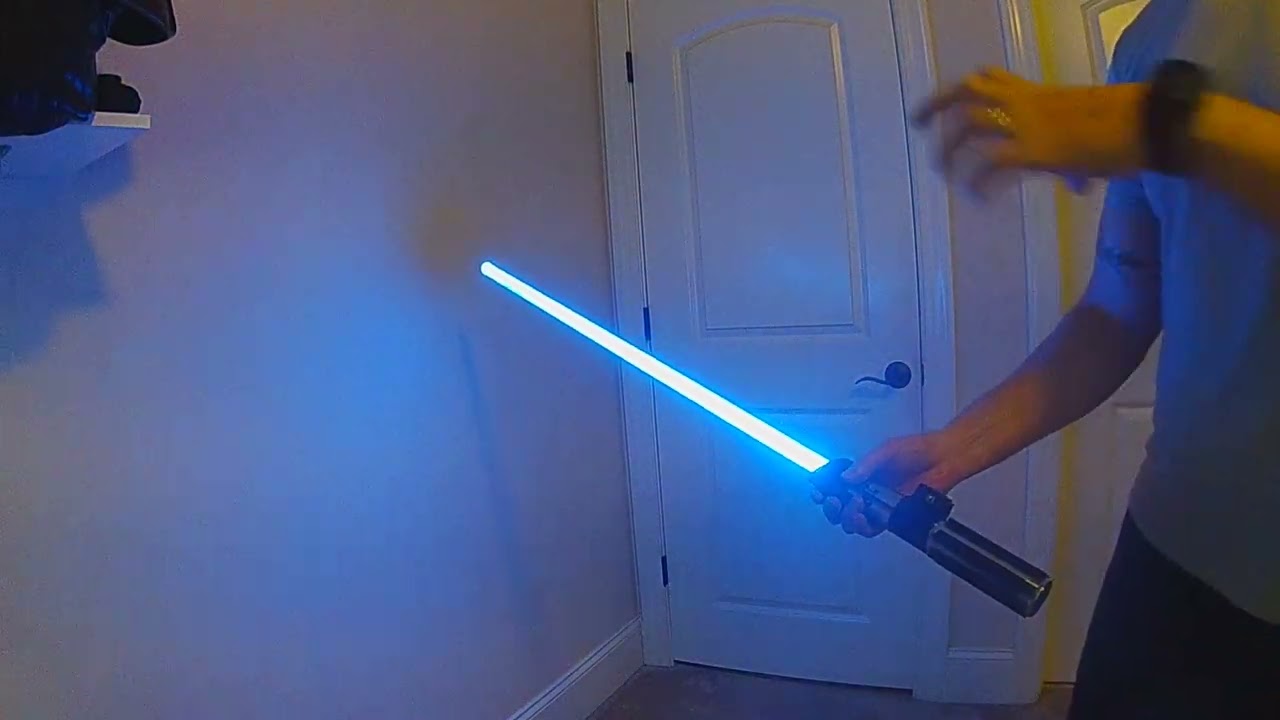
This demo features a new Multi-Phase Special Ability blade that’s meant to gain more power the longer you hold it pointed up using the new Incrementing Gesture Special Abilities. In this demo, the blade will be imbued with additional power the longer I hold it pointed up. Each phase will increase the blade intensity, change the color, change the sounds and will a stronger iteration requiring more clashes (or lockups) before it loses its power and reverts.
If I hold it up for 2~3 seconds it will gain the first level, with a faster animation and hum and require 2 clashes to revert. If I hold it up 5 seconds it will go through the first to the second level (incrementing) and have an even faster animation, brighter blade and more unstable hum, this form requires 3 clashes to revert. And if I hold it up for 8 seconds I can enter the “Final form” of the blade which will be much faster and unstable with a silver color and fully unstable hum. This final form will require 5 clashes to revert.
This is just one quick demo of nearly limitless possibilities to “tell a story on you saber”. For Phase 2 of the Gesture Special Abilities I’ve added a ton more functionality and customization to really unlock the potential of using Special Abilities for Proffieboard.
#1 - Incrementing Phases
With this new addition, you can now set subsequent Phases in the Gesture Based Special Ability to trigger incrementally. This means Phase 2 can only trigger if Phase 1 is active, Phase 3 can only trigger is Phase 2 active and so on.
In addition, if you set up Incrementing Phases you can use the same trigger (with adjustments) to increment through the Phases (you can also still set independent triggers, but with Incrementing the trigger will only work when the preceeding Phase is active.
This allows us to build really unique Special Abilities, like building up power in the saber by holding a saber pointed up longer, or having subsequent phases do more and more to the blade and sound, like building up energy over time or events.
#2 - Independent Revert Triggers
Another addition is the ability to set the Style 0 (default) to use Independent Revert Triggers. With the Gesture Based Special Abilities, all phases will revert to Style 0 through some trigger; a time or gesture. In V2, you can now set independent revert triggers in each phase, so one phase can have a timed revert, another can be based on # of clashes or blasts, another can be through a separate gesture. We can also set it up so each Incremented Phase has an incremented revert trigger, so the higher (or more powerful) the phase the more it takes to revert. It’s all customizable to your needs or wants.
There’s actually a lot more added in the V2 rollout, but rather than overload one video I will be doing several to show the basics, from there just go use your imagination and build out styles to fulfill your story.
Thanks, hope you enjoy!
Check out these videos on how to set this up and more in the Early Access Library
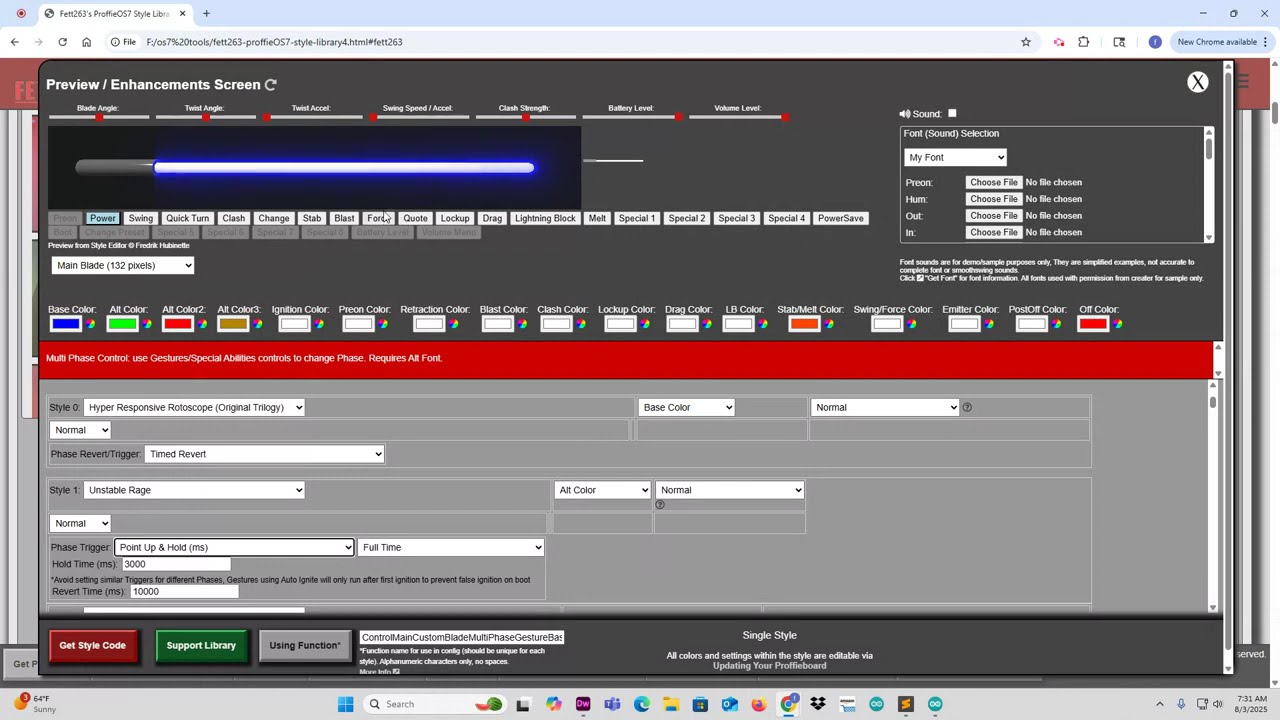
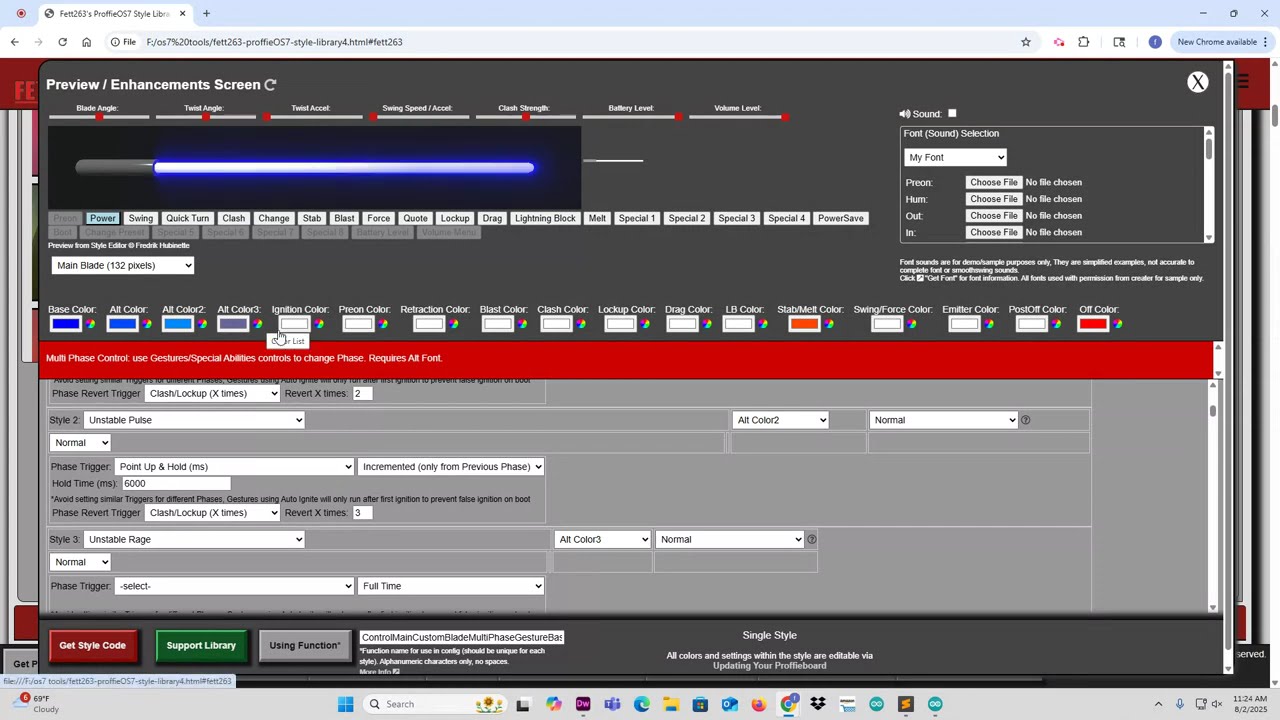
Check out the Early Access Library for more information:
I’ve added several options to the Base Style Accent Overlay section on the Enhancements screen (available on both the public and early access library). These can be adjusted via the Time and/or Delay settings, to run full time you’d extend the Time and reduce Delay to 100. They also allow for accompanying overlay sounds if you want.
For more info on Accent Overlays, watch the recommended video at top of library.
You’ll need to refresh page for new scripts.
NEW! Toggle Off Behavior Special Ability for ProffieOS7 Early Access Library
I’ve just added a new Special Ability Toggle for OFF Behavior on Crystal or Accent styles. This allows you to toggle the OFF Behavior of you crystal chamber, accents, PCB on/off via Special Ability Control.
This feature can also be combined with the ‘Toggle Idle/Off Sound’ Special Ability to have a crystal hum sound now coordinated with the visual effect.
This feature is now available on my Early Access Library.
Hi @Fett263 ,
I might have found a bug in your style library (public). It seems like transisiton sounds are always played for base style accent overlays, as soon as they are linked to a transition sound and independently of whether the overlay is turned on or off. Apparently, the only thing that actually can be turned on or off is the animation. The sounds seems to play always. And it happens in the library editor as well as in a physical saber.
I can reproduce it by setting a file for tr sounds, activating base style accent overlays, and setting sound to transition sound. Doesn’t matter what tr sound ID or which effect, as far as I can see.
I’ll try to take a look this weekend.
I pushed a fix to a bug in the Base Style Overlays that “may” have contributed to this. I didn’t have a font set up to test this morning and ran out of time. But if you refresh the library page and regenerate the style code this fix may resolve. If not, I’ll have to take another look when I have more time available.
Just tried and got the same result. Tested it in Chrome and Firefox, just in case.
I meant on a saber, the sound in the previewer isn’t 100% the same as the actual OS.