Hey ryryog,
Thanks for this programme. It’s great to see the effort to make this topic clearer. I tried it yesterday and have some questions.
My Saber is from Padawan Outpost with a Proffieboard v2.2, I did my research and understand coding enough to change values in the config and to let the ProffieOS.ino know which config file to adress when compiling through Arduino.
Now to use your Program for quick changes I stumble upon some problems.
When making changes in a config file and pressing save, nothing happens. I’ve tried simple things like changing Volume from 1750 to 2200, after hitting save, the config file still shows the value 1750. But after exporting the file correctly applies all the changes.
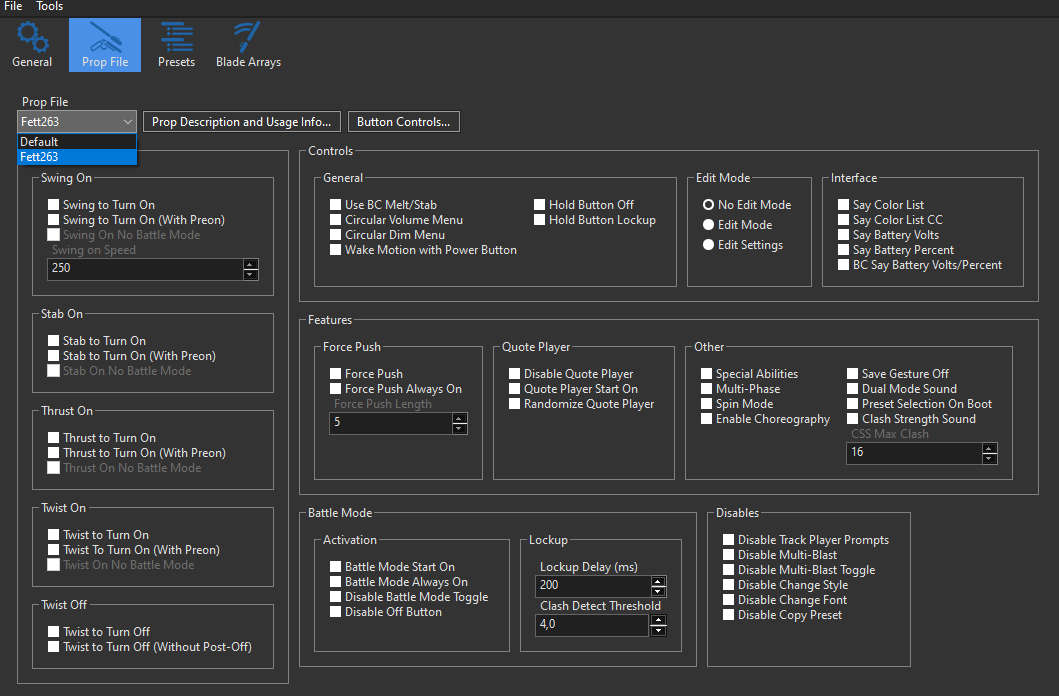
If I setup the new ProffieOS 8.10 and link it to e.g. fett263 buttons, make it also for v8.10 in the Props Category all the check boxes are off. For comparison if I use the v7.15 and load my config, it has the check boxes correctly displayed. I don’t understand what makes the version change not understand the config anymore.
Here is some more information: Tried this on my Windows 10 PC with and without admin rights.
ProffieConfig isn’t made to be a traditional document editor in this sense. It doesn’t edit your config file in place. Instead it makes an internal copy (intentionally to leave your copy undisturbed).
The idea is that you’d simply use ProffieConfig to do both changes and uploads, and exporting is not part of the usual workflow (but it’s available for making backups, sharing, etc.)
You could export changes all the time to use Arduino, but ProffieConfig isn’t made with this in mind, if that makes sense.
Are you adding v8.10 to ProffieConfig or are you doing this externally somewhere? (Were you following the steps in the earlier post in this topic to add v8.10?)
If you did add v8.10 correctly, what you may be encountering is that, when changing the OS version for the config on the drop down on the general page, the prop file settings might not be carried across. I think they should be, but I don’t recall.
ProffieConfig v1.8’s multi-version support is a kind of partial implementation. I’m working on an update that’ll also include v8 by default, as well as updates for it, but even if you did everything right it’s not totally surprising to me if something might not be working correctly.
I’d appreciate if you could clarify the steps you took when you say “If I setup the new ProffieOS 8.10 and link it to e.g. fett263 buttons, make it also for v8.10 in the Props Category,” to make sure I understand.
Well that makes it a lot more understandable, thank you!
Sure here’s what I mean with that sentence:
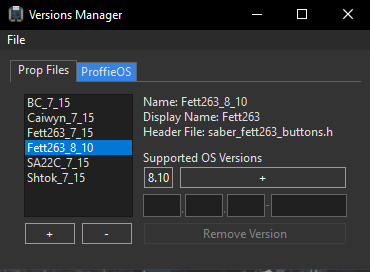
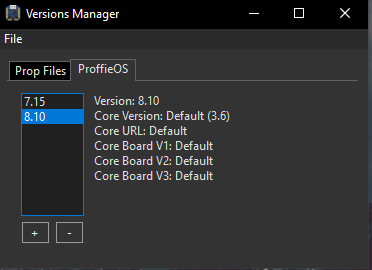
I go to File>Manage Versions…
I press the + Button bottom left and add Fett263 Buttons from the same Data and Head File as it is in the 7_15 folder that ProffieConfig creates. I save this exact “copy” as 8.10 Version, so that it can show up in the ProffieOS 8.10 Version which I correctly set up.
After setting up everything, I Add a config> Import Existing Config>Configuration Name “ConfigNew”
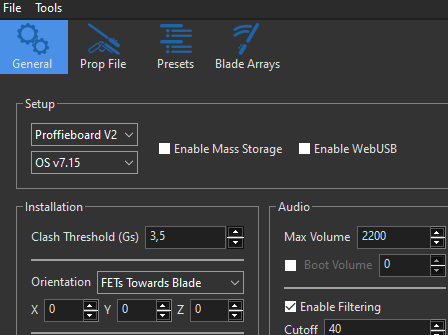
When I now go to Edit Selected Configuration the Window opens correctly and shows the General Info with the default settings OS v7.15
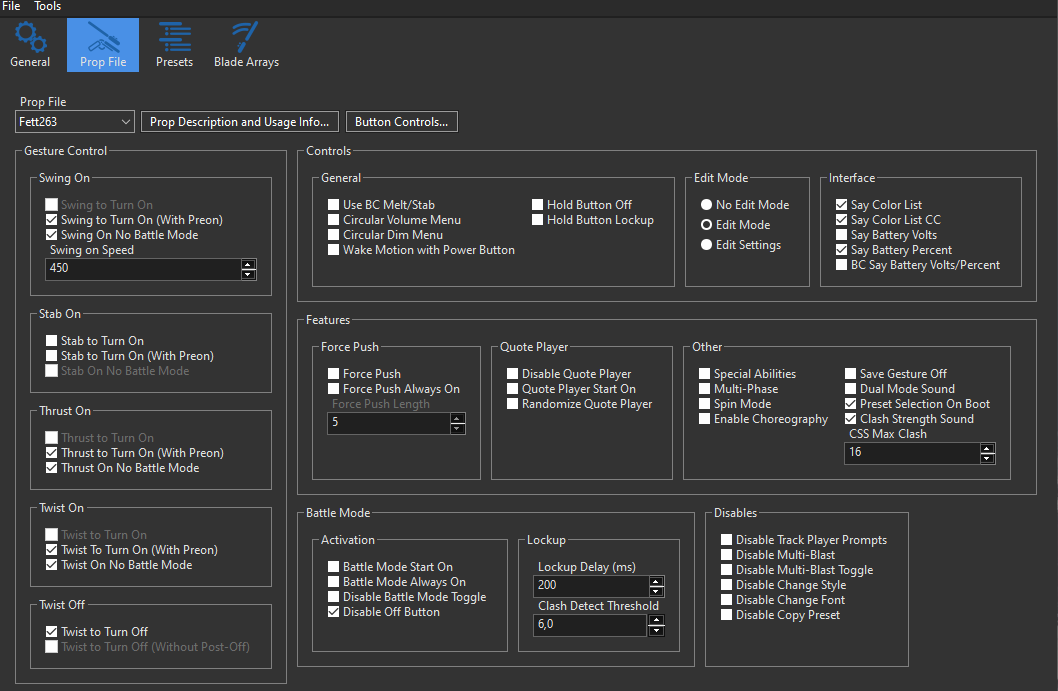
And this is with the default fett263 Button Layout, all the check boxes seem to be correct, because they show the values and settings which I chose
Now when I change the OS under General to OS 8.10, switch the tab back to Prop File it shows the corresponding Fett263 selected, but all of the checkboxes are unchecked and no value is correct anymore.
Even changing the Prop File to default (which just shows a blank page) and switching back to Fett263, the page is empty. But switching back to OS 7.15 makes the PropFile show all the values correct again.
Here is also a section from the ProffieConfig.log
(INFO) [Versions::loadLocal()] Found prop Fett263_7_15...
(DBUG) [Versions::Prop::generate()] Parsing SETTINGS...
(DBUG) [Versions::Prop::generate()] Building maps...
(DBUG) [Versions::Prop::generate()] Parsing LAYOUT...
(WARN) [PropLayout::generate()] Setting FETT263_HOLD_BUTTON_LOCKUP appeared in layout twice!
(DBUG) [Versions::Prop::generate()] Rebuilding setting map...
(DBUG) [Versions::Prop::generate()] Parsing buttons 1...
(DBUG) [Versions::Prop::generate()] Parsing buttons 2...
(DBUG) [Versions::Prop::generate()] Parsing buttons 3...
(INFO) [Versions::Prop::generate()] No errors section...
(INFO) [Versions::loadLocal()] Found prop Fett263_8_10...
(DBUG) [Versions::Prop::generate()] Parsing SETTINGS...
(DBUG) [Versions::Prop::generate()] Building maps...
(DBUG) [Versions::Prop::generate()] Parsing LAYOUT...
(WARN) [PropLayout::generate()] Setting FETT263_HOLD_BUTTON_LOCKUP appeared in layout twice!
Excellent, thanks for the clarification. Looks like you’re doing everything right, so it does just seem that the setting transfer between props isn’t working in v1.8.
I’ll note that down then as something to take a look at and fix while I’m working on these updates, thank you for letting me know