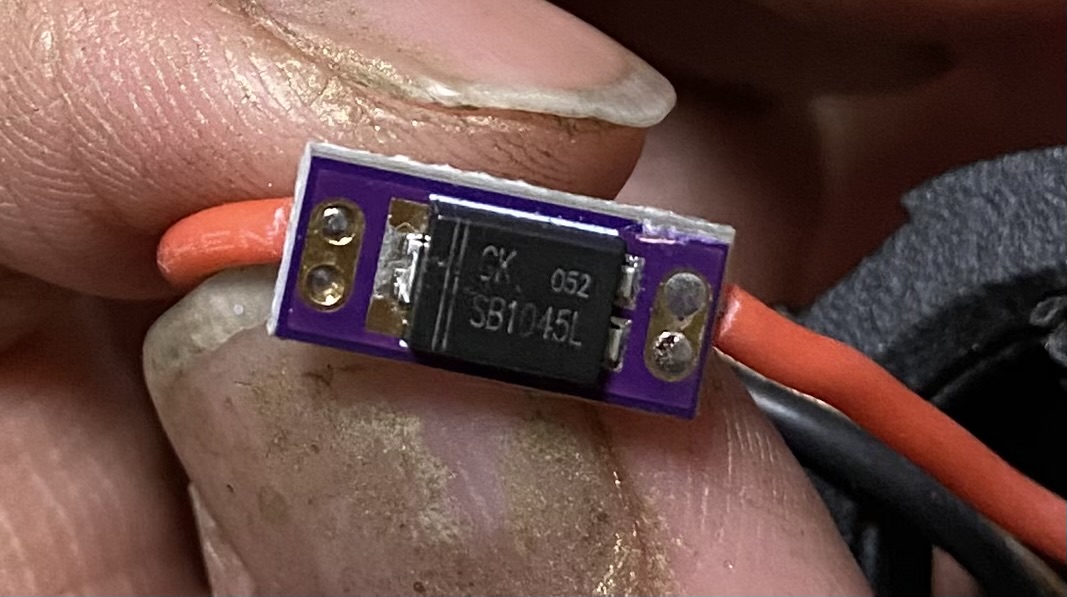
I got a pair of Tano Elf Sabers last week and the long saber randomly turns off and resets when switching to a new preset. I got to paying closer attention and noticed it only shuts off and resets when you power on any style that uses the RGB White. I changed the whites to RGB Silver and now they work fine. The short saber works just fine as is, as does every other saber I have that uses these same styles. What would cause 1 board to crash from activating white?
Full white, spending on your blade length, draws the most current from your battery. It might trigger the protection circuit from excessive discharge (amperage).
2 Likes
100%, What @LyleStyle said. This is a pretty “textbook” symptom of tripping the protection circuit.
That also tracks w/ the longer blade having issues, even if the same battery is used w/ both. Longer blade means more LEDs means more current draw.
Well, it actually does it on either blade. I cut down the length of my 34" blade to a 26" blade. I tried both of them out on the longer saber and they both shorted out. I have a replacement chassis coming to swap it out. I’m hoping this is just a defect with this particular board.
Well, in any case this is almost certainly a hardware issue, and one outside the proffieboard itself, fwiw.
Have you tried swapping batteries? Have you checked what battery is installed?
Yeah, I’ve swapped the batteries out between multiple sabers. I figured it must be a hardware issue because I have several proffie 3.9 sabers and I’ve never had one do this. I basically copy and paste the same configs to each saber I have. The proffieboard was really loose inside the chassis cradle and was just flopping around when I opened it. I’m thinking it may have caused a short somewhere.
I see. If it’s just white it’s probably not a short, especially if it works fine otherwise and is repeatable w/ white. This is kind of pedantic though because it is probably a wiring issue if not the battery.
It could be a poor connection somewhere. Troubleshooting that isn’t particularly straightforward though. If you can, you can look around and see if things look wrong, but you kind of have to have an idea of what to look for, and there’s some faults that can hide well.
If you’ve already got a replacement coming (I assume this is a “core” style system where you just swap all the internals or something like that?), then I guess you’re set. In the case that replacement wasn’t from a seller’s warranty, it might be worth inquiring about that, but other than that, not much else to say I don’t think.
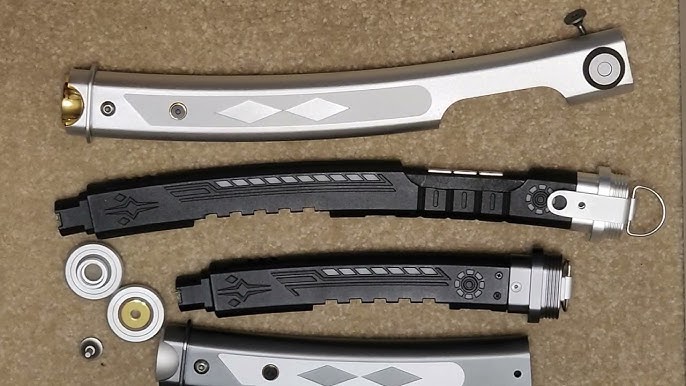
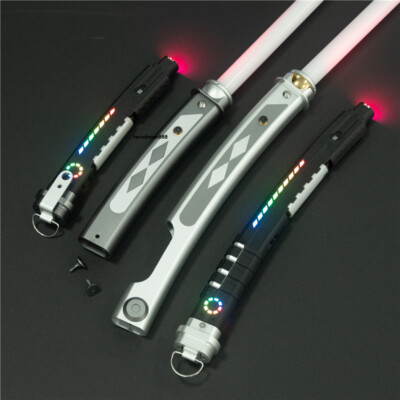
It’s this type of system. Cylon and wheel accents in both chassis.
So after I changed all of the whites to 192, 192, 192, they started working. But then 2 other styles stopped, which had been previously working. I have the Fett263 Pull to the Darkside preset that uses the special abilities to change from blue to red. I have another I use for the Revan preset where I just changed the color on it to turn from violet to red. They were both working prior to adjusting the whites from 255 to 192. After I loaded the profile up those 2 ignite about halfway and then resets the saber.
 The short hilt is called a shoto, the long hilt’s a daito.
Could be improper spec wiring causing resistance and the system to trip. Could be a short in the blade LED tape. Could also be an intermittent short on the board , in the paths, or at the blade pcb inside the blade.
Got a different blade unassociated with this purchase you could try out to first rule out the basics?
From there take a close look at what you can see on the board. Pro-tip, take a video and film it with a cell phone on 4k or more. You can then pause and zoom in with incredible clarity so you can see or do a screenshot of the frozen video frame and see if there’s a small solder spot or a stray wire strand.
if you put it back to 255,255,255, does the other two styles start working again?
If not, those two things are likely unrelated.
I haven’t tried setting it back to 255, 255, 255 yet. I got frustrated and called it a night last night. Will mess with it some more when I get home.
I’ve used a few different blades and batteries. Nothing changes between swapping them around. I built some new blade and accent styles on Fett263 today at work. I’m gonna install them when I get home and see if it changes anything.
What version of ProffieOS and the Arduino-Proffieboard plugin do you have?
— that’s exactly the issue with all Chinese made sabers, they use cheap batteries and protection circuits that can’t handle the higher current loads that White neopixel blades require and simply tripping the power and shut down. It’s not a blade issue.
Solution: use better high quality high amperage drain battery with built-in Protection pcb like Keeppower 3120mAh 15A or Nitecore 15A. If the saber has its internal battery protection circuit module then it must be removed.
That’s probably because your saber has its own built-in protection pcb, I’ve seen such cases, you have to remove that pcb and use a proper Protected battery instead.
Wouldn’t there also need to be a proper battery holder too since protected cells are usually sold as button tops and slightly longer?
There are “flat top” Protected Keeppower batteries also with same high amp ratings. Like this one for example: Keeppower 18650 Neopixel Battery 15A 3000mah FLAT Top – Saberbay
Those are still longer because of the protection PCB though, so they’ll still be too big for some holders which only are made for unprotected.
I don’t disagree those shouldn’t be used, but nonetheless…