saw it somehwere
Setting your saber to mass storage will allow you to access the SD card contents through the onboard proffie micro USB port.
Keep in mind the data transfer is quite a bit slower, but it’s nice when you have a hard to reach sd.
1 Like
And, just like with a direct connection, be sure to properly eject always. It seems people are more likely to skip this and end up with a corrupt card whenever they use mass storage (maybe because it’s slower so they get tired of waiting and just yank it anyways).
You also may want to use the new mount setting, which is supposed make mass storage less frustrating to use. I haven’t used it, but I can tell you that normally mass storage is very fiddly.
For clarity: Or an external port if it’s properly wired for it, but most aren’t.
2 Likes
how much sloweer would you say? Like how long does it take for one font (like 80 or so wav files and the respective folders and other txt or ini files) to be added to one of the folders? When i copy and paste onto the sd card when i put the card in my chromebook it takes like 10 seconds
Several times slower. The USB connector on the proffieboard is limited to USB1 speeds: 12Mbit/s, and usually gets less than that. Copying a single font is usually not that bad, maybe a minute or three, depending on the size of the font. But it can take literally hours if you drag a whole stack of of fonts over.
1 Like
Is that in comparison to the standard 480mpbs? . Also, how am i meant to remove the sd card if it’s below the proffie board (between the bottom of the board and the plastic chassis) but also too long to not hit this other pcb thats mounted to the shell with this double sided super sticky foam tape? I know the proffie board itself will break if i try to pry it off the tape so is trying to remove the tape itself from the core with the pcb still attatched and then remove the sd card once there’s enough room? the chassis plastic partially covering the proffieboard (the part visible when the microusb port is faced upward) comes off if screws are removed so my only problem is this other pcb.
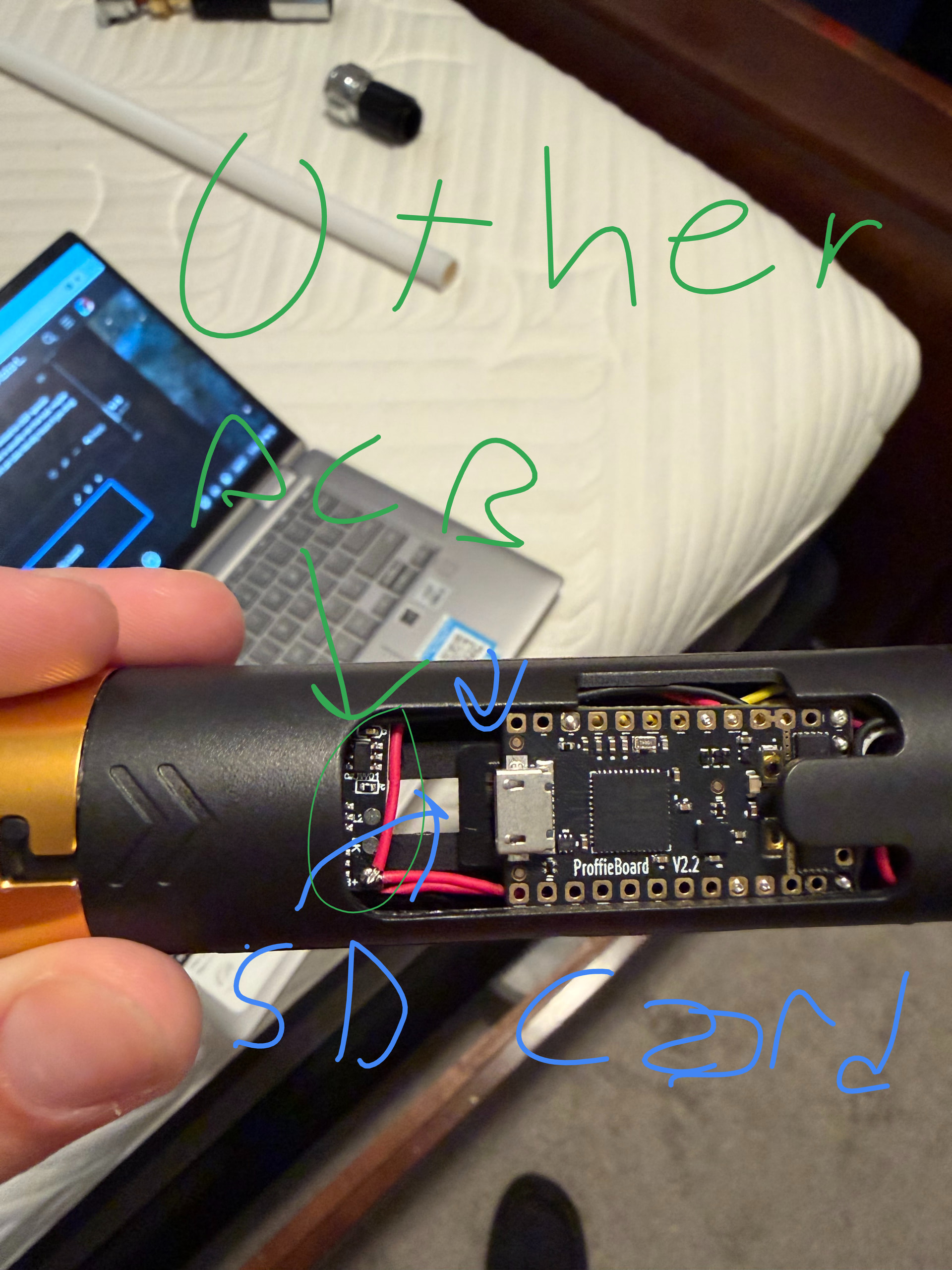
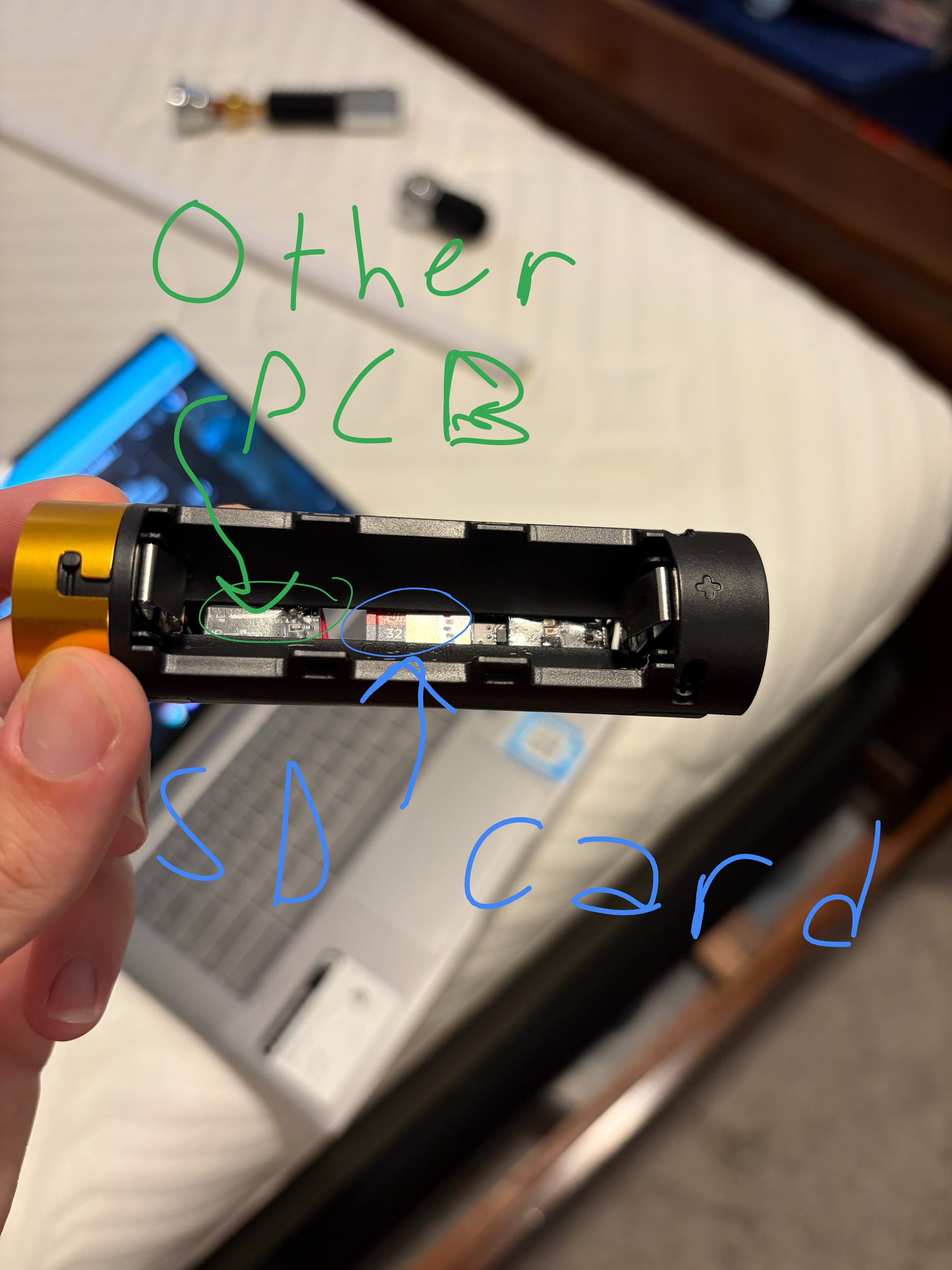
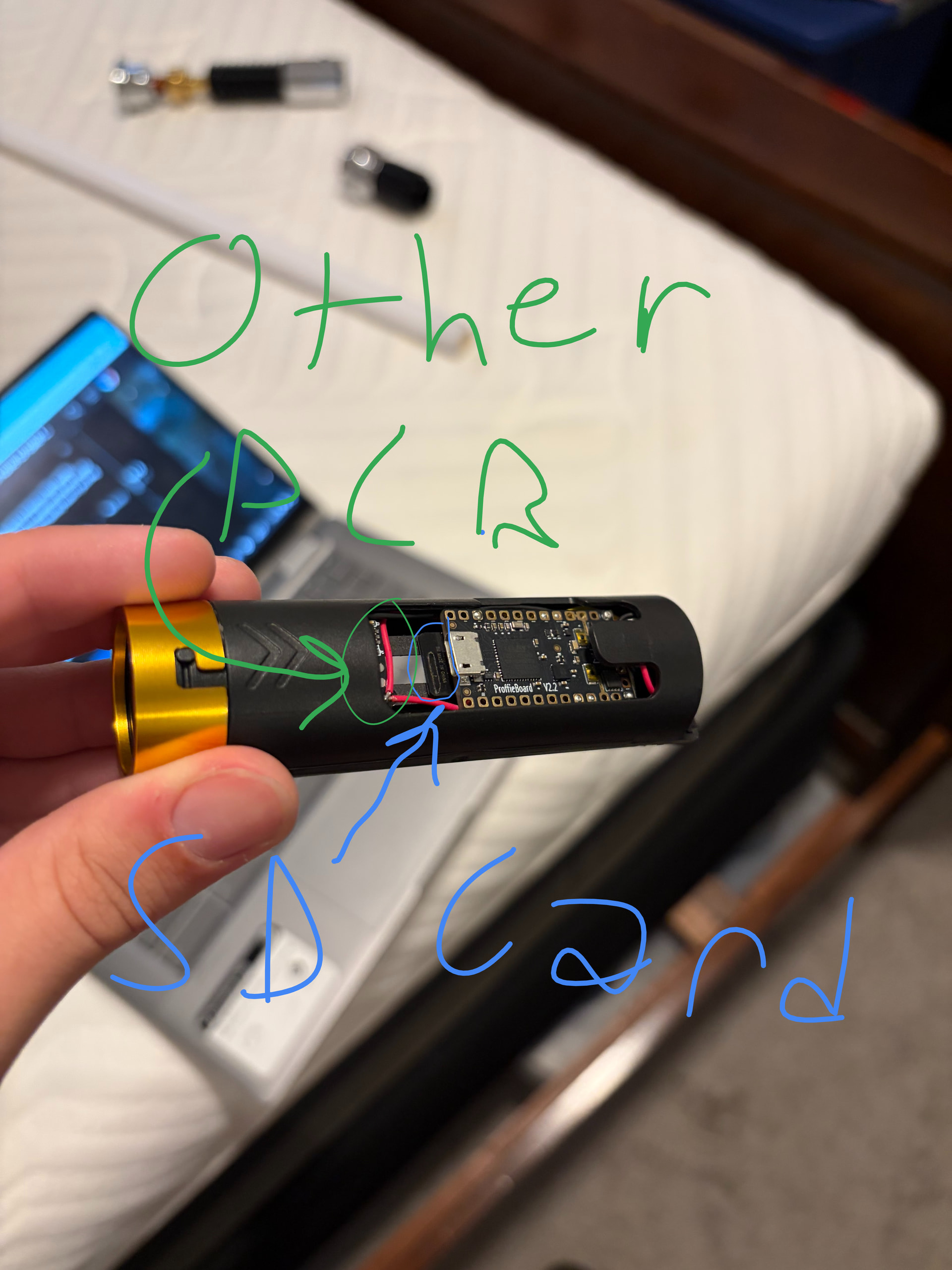
You’d have a hard time snapping a 1.5mm thick Proffieboard PCB with your bare hands. Lifting it up is really no issue and typically what people do all the time. It’ll come right up. You just want to be careful not to yank a wire too hard or something like that.
Personally I’d just cut that little plastic tongue thing as it’s doing nothing really.
That other pcb looks like a charge circuit. If you’re comfortable, you could probably open and rearrange a bit. Also removing the battery allows access to assist in pulling that card out with some tweezers or a pick as long as you don’t flex it and risk snapping the card.
well it doesn’t charge from the core (gotta take the battery out). The end with the small pcb on it connects to another thing inside the saber which then connects to the neopixel pins (it’s an obi wan ep 3 so thin neck).
Interesting… I can’t see it clearly in your image, but with those red wires and my own breakdown of those chassis from TXQ, I had assumed it was a charger. The saber wouldn’t tell you it was charging so it would just silently top up the battery. Is there a USB on that chassis like my images below? I have what appears to be the same small board and mine is a charge circuit. In any case, since I just got a couple of mine line that out I pulled up on the board and you can see how I access the card and get it to side by the other PCB. If you have adhesive holding it down, just pull gently until it lets go and you should be able to get it out.
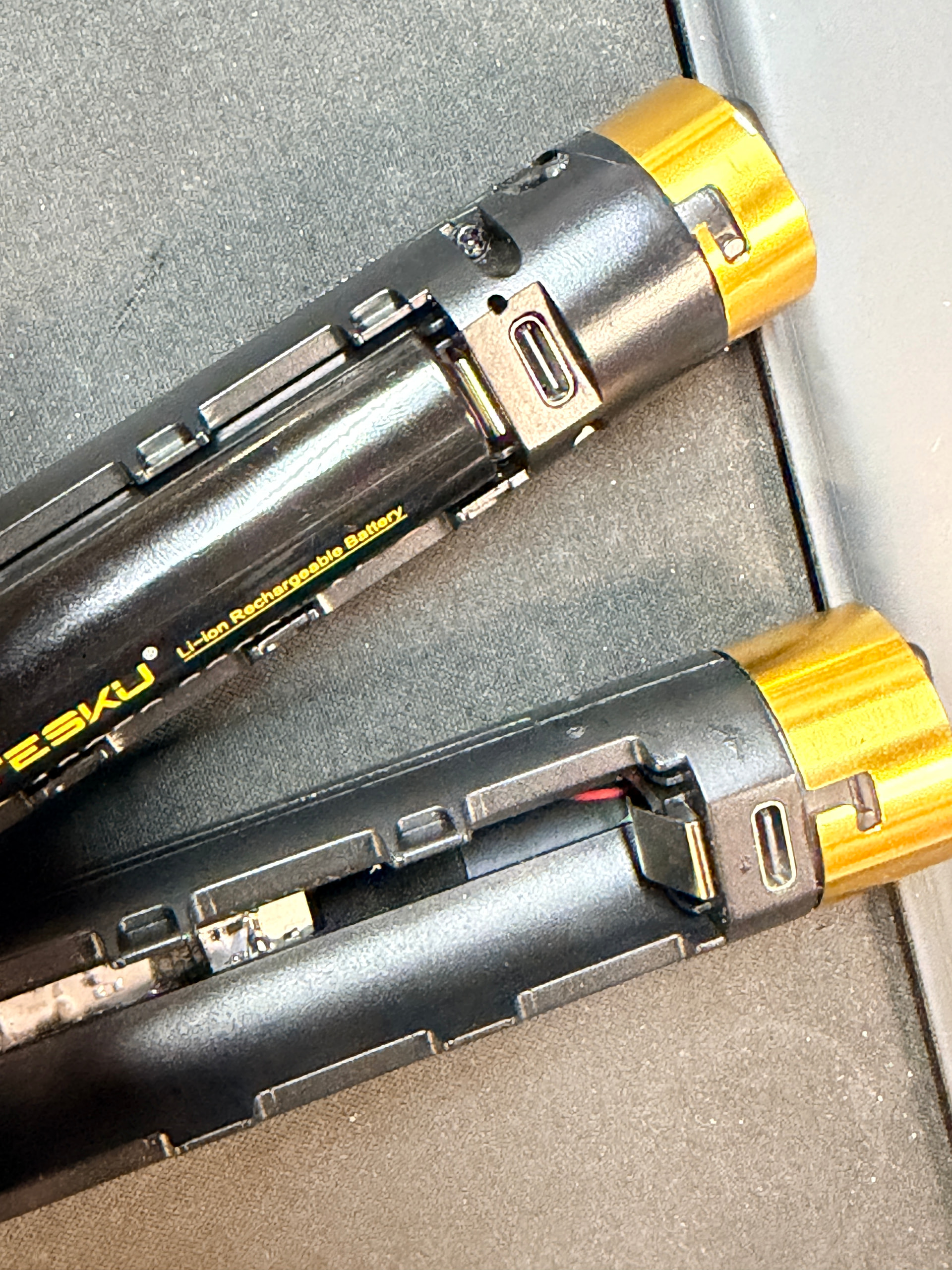
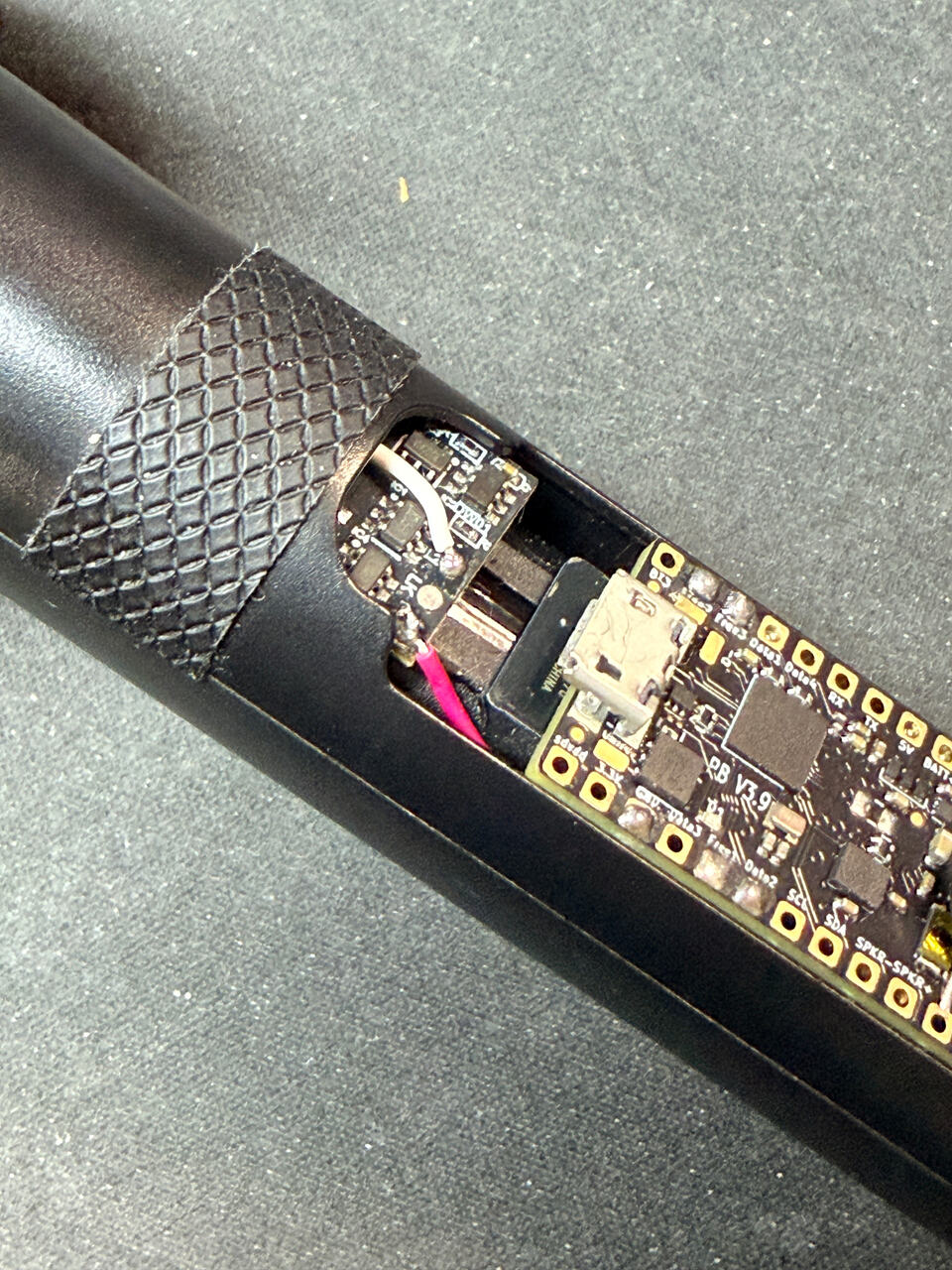
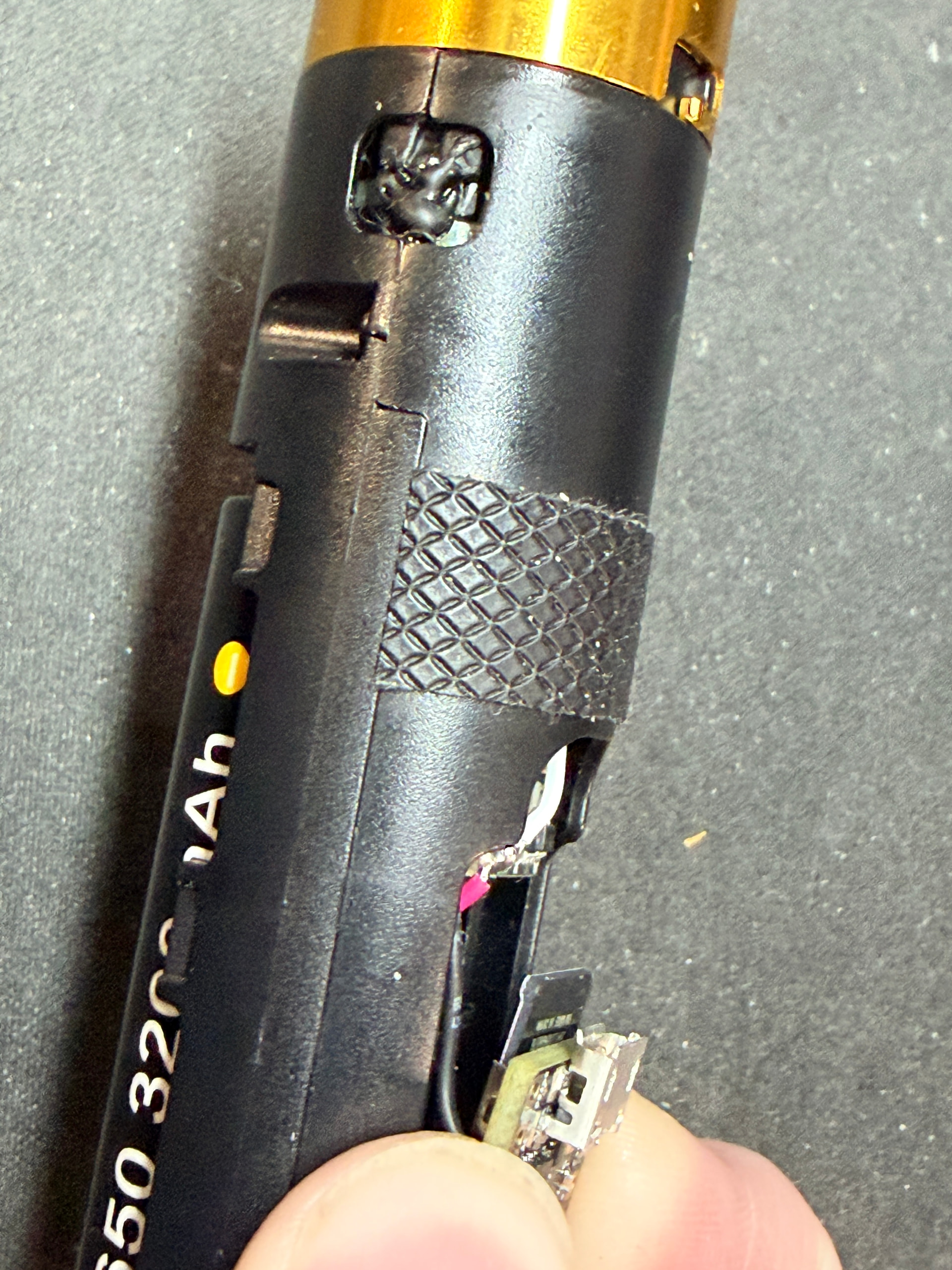
no i don’t have that port. Only the microusb on the proffieboard itself. but everything else looks similar
and since proffie is open source doesn’t that mean each proffieboard can be made with slightly different durability? (to fix my statement from a few replies ago
oh wait so i should lift up the proffieboard instead of the other pcb
Yep, lift the proffieboard. As long as you’re not ripping out wires, it will be fine. Just be gentle and only lift enough to get the card out cleanly. The card needs to feely slide out so you don’t damage that. I’d say that’s a bigger concern.
ok tysm bro
Might be better to ask the person/people/company that designed the chassis you are using.
1 Like
I find Proffies to be incredibly durable. My very first one I had to lift to plug the USB mini in or get the SD out just like @jedimaster shows. I had to do it dozens of times as I figured everything out.
These days, I sand the sides down to get them to fit in tight spaces, leave them dangling in a hardware store hilt with no chassis, and even wick the solder off to reuse them or try new buttons or pixels. Maybe I’m just lucky but they seem dang near indestructible.
2 Likes
That being said, you absolutely can rip the USB port off of these things, which will make your life a lot harder…
Just make sure you’re lifting the board itself and not the USB port 
2 Likes
I’m with @crazy on that for sure… You can also rip off the SD card reader… don’t ask me how I know… 
1 Like
See my usb rip off thread. I had my core plugged in to the laptop and reached over and it ripped off the board still attached to usb cable.