I’m new to making my own blade style and was just trying to understand how to use /~hubbe/ProffieOS-StyleEditor and there is a crash course from 6 years ago and it’s been updated since then… can anyone help me?
seems the link did not want to work…
What prop file do you use?
This might be a better link:
Or this one for the beta version:
We really should create a POD page for the style editor to explain how to use it, but let me start with something short and we can explain and/or write something better from there:
First of all: Blade styles are like little programs that specify what the blade should do. The “program” runs once per pixel per update. It may make more sense to think of it more like each function returns a whole blade full of pixel colors instead though. If you think of it that way, then “Red” isn’t just a color, it’s a list of color values, like { 255,0,0 }, {255,0,0}…, one per pixel.
The strength of the style system comes from the fact that almost anywhere you can put a color, you can also put something more complicated which returns a different and dynamic list of color values.
In moden times, most of this have shifted to using layers. Layers works like layers in Photoshop/Gimp/Krita, and each layer has a transparency which specifies whether that layer should show, or the layer “underneath”. (Please note that the layer “underneath” is written “before” the current layer, which can be confusing.) Anyways, thinking of styles as a bunch of layers is usually easier, because each layer is usually transparent until some effects happens which shows it.
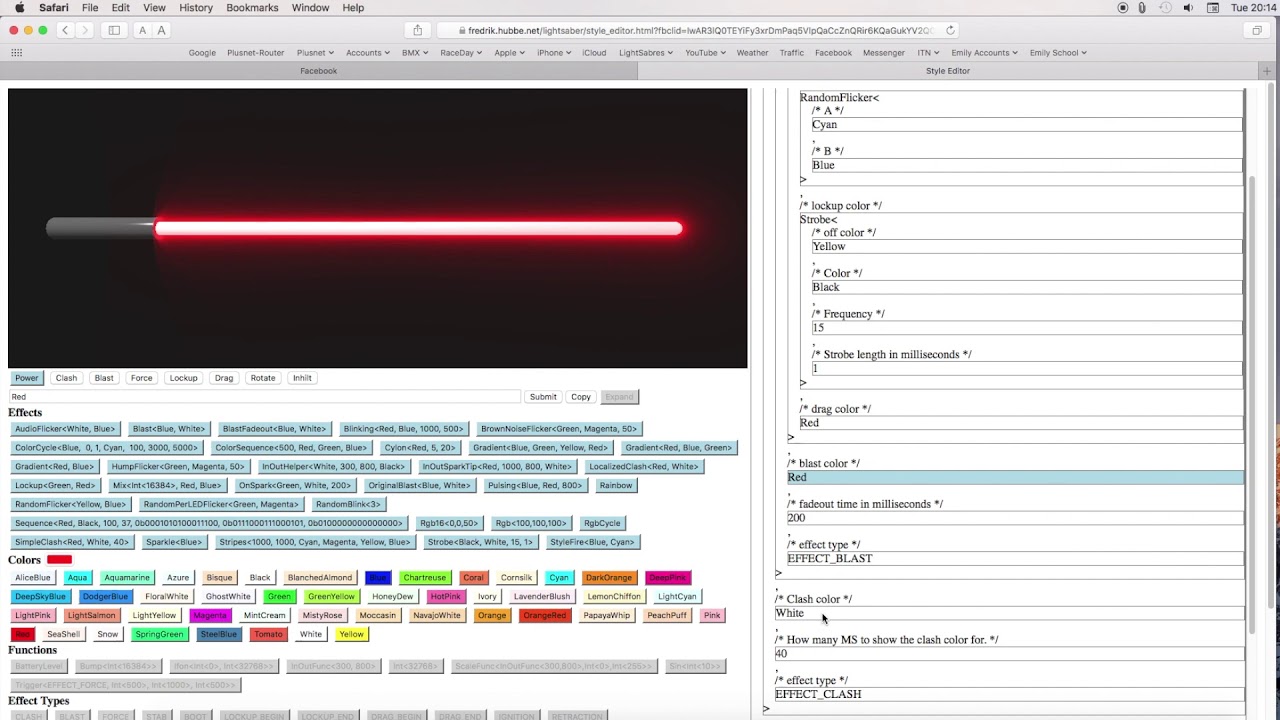
Now for the actual style editor. Generally speaking, it’s meant to be explored, and the way you do that is you input a style, use one of the “examples” or press just about any of the buttons to start with. This will load that style and show it on the example blade in the editor. In the structured views on the right, you can click on any of the sub-elements of the style, and then you can change it to something else. For instance you could type in “StyleNormalPtr<Green, White, 800, 300>”, hit parse, and then on the right hand you could click the “Green”, and then press the “rainbow” button to switch from green to rainbow color. If you then wanted to use this style you can click on the outmost frame on the right side, then select “Copy” or “Save” and then put it in your config file.
Hope this helps, and feel free to ask more questions. 
1 Like
This video is very out of date and doesn’t deal in Layers, but the principle for building a basic, nested blade style still works. When I get a sec I must make an update, but for now this is literally a “Get Started in Seconds” guide which might be useful:
2 Likes