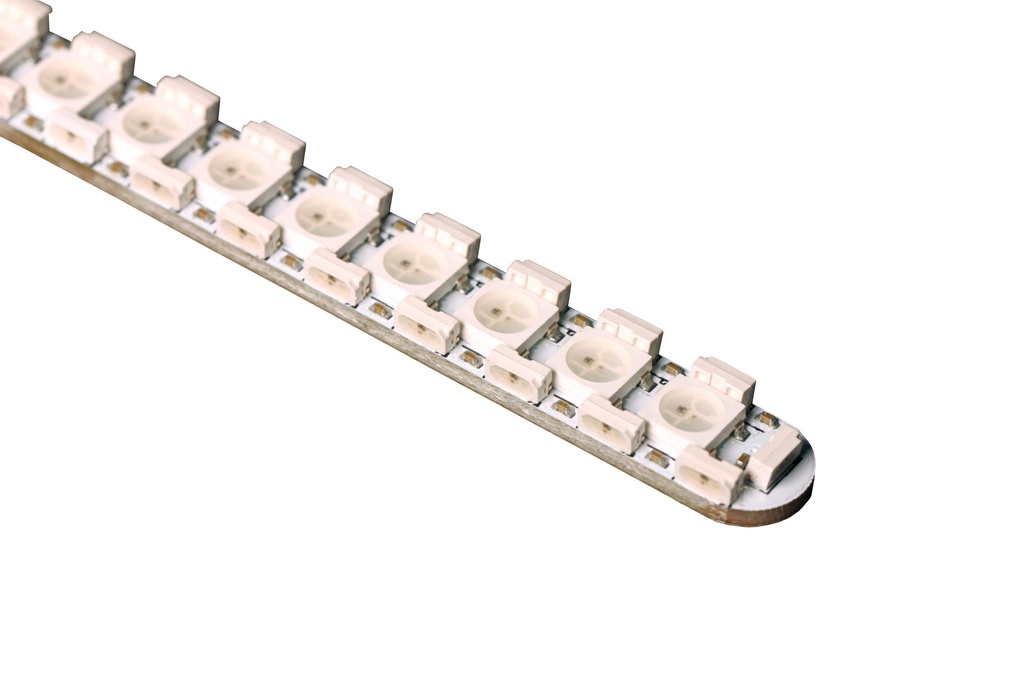
The issue is that you have a really long sequential pixel strip (like 4 times the average length) of 477 pixels in series.
This is unavoidable as it’s a hard wired stiff strip of LEDs soldered to a long PCB.
Normally, we use flexible strips and put 2x144 back to back and wire them in parallel (the board only sees 144). Most style code for the blade is designed to run this length of 144 (or slightly shorter) so animations and such look “natural” as far as scroll speed and such.
However with the 477 length, animations look slow due to needing to cover so much length.
The “easiest” fix would probably use SubBladeWithStride and treat it like 2 interlaced blades of 1/2 the amount each.
Otherwise you’d need to adjust all your style code to double the rates.
If you use SubBladeWithStride, you essentially make every other pixel the next in line, and alternate
1-2-3-4-5-6-7-8…
-1-2-3-4-5-6-7-8…
Something like this
  SubBladeWithStride (0, 475, 2, WS281XBladePtr<477, bladePin, Color8::GRB, PowerPINS<bladePowerPin2, bladePowerPin3> >() ),
SubBladeWithStride (1, 476, 2, NULL),
The catch is you need to duplicate the blade style in each preset since now NUM_BLADES = 2. You’ll be sacrificing the amount of data you can fit in your config.
However this still leaves you with > 230 pixel length of your blade, so it still might be slow.
If you want to go nuts and can afford the memory space (less presets in config)
You could divide it into 4 blades like
  SubBladeWithStride(0, 476, 4, WS281XBladePtr<477, bladePin, Color8::GRB, PowerPINS<bladePowerPin2, bladePowerPin3>>()),
SubBladeWithStride(1, 475, 4, NULL),
SubBladeWithStride(2, 474, 4, NULL),
SubBladeWithStride(3, 473, 4, NULL),
and have 4 copies of the same style in each preset.
You might want to (just for clean looking code) leverage a ‘using’ statement at the top of the CONFIG_PRESETS section.
Then you could do
#define CONFIG_PRESETS

using StyleForLongBlade1 = StylePtr<.....style here.....>();
then in your presets do
{ "Font;common;", "tracks/trackname.wav",
StyleForLongBlade1,
StyleForLongBlade1,
StyleForLongBlade1,
StyleForLongBlade1,
"my_preset" }
These 2 defines added to your CONFIG_TOP section can save a significant amount of memory to compensate
#define DISABLE_DIAGNOSTIC_COMMANDS
#define DISABLE_BASIC_PARSER_STYLES
and other memory saving tips can be found here: