I was hoping i could get some help here with my lightsaber fonts that I have bought. Here’s what I want to fix. It’s using a proffie V2 board and it’s a saber from Dark Wolf Sabers (AniSlayer).
Firstly, Anakin is my first font. When I flip on the switch, there are so many cool quotes that it selects. But, when I change font and come back to it, it’s always playing the same quote of Palpatine saying “Anakin”. That I want to change. Secondly, for this font, I can’t triple click to activate quotes. This is for basically all of the fonts that I have and I have no clue what the issue is. I believe that this is more of an issue with the directory and where things are; not sure if I need to make changes and flash the SD card using the arduino. And yes, I have tried pointing the saber down and triple click + holding the button, etc.
Ok, so far, these are the two problems I’d like to address.
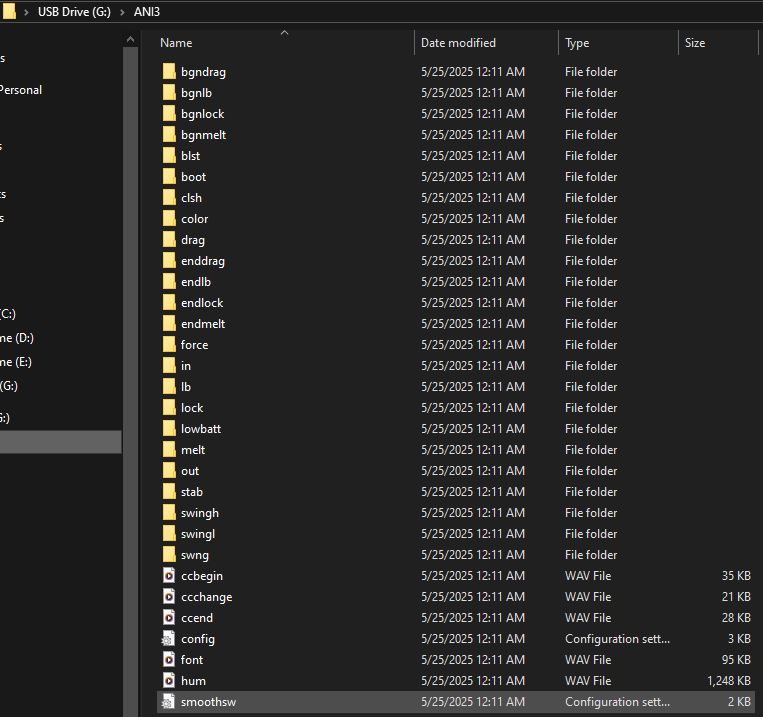
I’ll show how my folder for Anakin looks like because if I can address the issues with any font, let’s start with Anakins font. Do I drag the extras folder in to the ANI3 folder if I want to activate the quotes? I am completely fine with removing all of the force sound effects btw. I really don’t want those.
If you want to play quotes (assuming your prop supports), you would name them; “quote01.wav”, “quote02.wav”, “quote03.wav” and put them in a folder named “quote” in the root of your font.
If they are not named properly or not in the correctly named folder, they are ignored.
When you “flick the switch” assuming u mean kill switch? It plays the boot.wav files, when you cycle through fonts it plays the font.wav files. You can swap them around but make sure you rename them
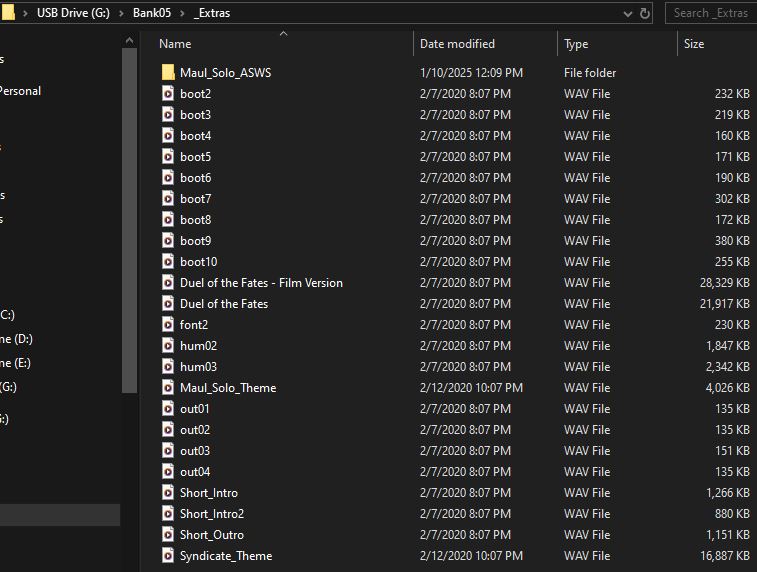
Ok, let me try this out and i’ll get back to you. The lightsaber’s pre-installed fonts don’t have a quote folder, but rather a folder named “_Extras”. And, in the “_Extra” folder, here’s what I see:
Also, just for some context, the image that I replied with is labeled “Bank05” which is Darth Maul. It’s the pre-installed font that I wanted to show as an example. In that “Bank05” folder, I show what’s in the “_Extras” folder since there is no quotes folder.
Quotes are a relatively new thing in Proffieboard (not sure if other boards even support) as such, font makers probably haven’t actually set these up as there wasn’t support previously.
The OS only reads and uses specific filenames, font makers can throw anything they want into the folder but it won’t be recognized or used if it’s not named right. If the files are formatted correctly, you can just rename the files to the right filename. I introduced the Quote Player in my prop in OS6, it will look for the /quote folder and files named quoteNN.wav in the root or the /quote folder only.
_Extras or any of those full name files don’t mean anything to Proffie so they are ignored.
I see. I think I’ve figured it out after you guys pointed out that it was ultimately a naming issue. I kind of just went with the “_Extras” folder because I thought that the font’s that I bought also came with an “Extras” so it must have had to be the same. But no, I had to rename things around which is not a problem. I can just download a mass renaming tool or use powershell on windows to do that.
Sorry, one more quick question. I’d rather not make another post on this since it’s a short question. After I renamed those files, when I use activate the quote, it makes this slight popping sound before playing the quote. Is that due to the sound file and how it came?
Also, how can I just increase the volume of the quotes?
Maybe also check the file with Audacity to see if there is a “bump” at the beginning of the file.
There is also this tool: https://www.soundfontnamingconverter.com/
Select Proffieboard to Proffieboard, select your font folder (make a backup before running the tool), select Enable High-Pass Filter, click Convert Audio Only.
The tool will convert most audio file format to be compatible with ProffieOS/Proffieboard and Enable High-Pass Filter will cut the frequencies that are not recommended/desirable for the “tinny” speaker used in light sabers.
oh awesome, I’ll take a look at this, thank you! So far, I did include the #define (…) like someone suggested. Not sure if it did something but I’ll tinker around with it a bit more to see.
FYI all audio conversions automatically do a micro fade-in / fade-out on all the files so they all start and end with a zero crossing (removing pops caused by sudden change at front or end of file)