I have a Darth Maul saber that’s 2 sabers connected at their pommels, with the speakers facing directly toward each other, creating a comb filter effect when they play the same audio at the same time. I’ve tried reversing the polarity of one of the speakers but I believe there’s just slightly too much offset for that to make a difference. Is there a way in the OS to slightly offset sounds to prevent them from colliding (iirc about 40 or so milliseconds of delay/offset would prevent this from happening), or do I just have to edit starting points for all of the soundfonts on one of the sabers?
Try and reverse the polarity on one of the speakers by switching the positive and negative around
Sorry, that’s what I meant when I mentioned it in the original post. One speaker is reversed, one isn’t.
I wonder if the answer less about delays and polarity switches, and more about the sounds themselves cancelling each other out when they play the same thing. That might point to adjusting the actual wav files on one saber by running them through some all-pass filters (they shift phase without changing the tone). They’d sound the same to our hears but avoid the cancel effect… in theory. Might be worth a try with the hum as a starting point.
Any good all-pass filter recommendations? I can’t seem to find anything standalone or for Audacity/Tenacity
You can do it in Audacity. Just tried it but without your hardware hard to tell if it works… I attempted to overlay fixed/not fixed with a slight speed adjustment to the second to simulate the variance between the two sabers. While I think I could hear a slight difference, it could be my imagination. Your saber setup would be the real test.
So here’s what I did in Audacity to get the cascade of all-pass filters:
- Open the wav, and check Audio Setup > Audio Settings shows a project rate of 44100
- Ctrl+A to select all (Nyquist only processes the selection)
- Tools > Nyquist Prompt
- Paste this in and hit Apply:
(setf snd *track*)
(setf snd (allpass2 snd 90.0 0.6))
(setf snd (allpass2 snd 170.0 0.7))
(setf snd (allpass2 snd 320.0 0.5))
(setf snd (allpass2 snd 600.0 0.8))
(setf snd (allpass2 snd 1100.0 0.6))
(setf snd (allpass2 snd 2100.0 0.7))
(setf snd (allpass2 snd 3900.0 0.5))
(setf snd (allpass2 snd 7200.0 0.8))
snd
- File > Export Audio, WAV, 16-bit PCM
Once you have this, you can put this on one of the two sabers (just one, so they’re no longer identical) and tell us if it helped/fixed. Looking forward to seeing how this turns out.
Hmm, it still seems to have the flanger-like effect, even though the waveforms are obviously different.
Bummer… Well if I think of another idea I’ll let you know…
Thanks for the help anyway! It was a good idea. I think right now I’m just gonna start the hums and swings in different spots and hope that the other random sounds don’t choose the same ones at the same time 
great post
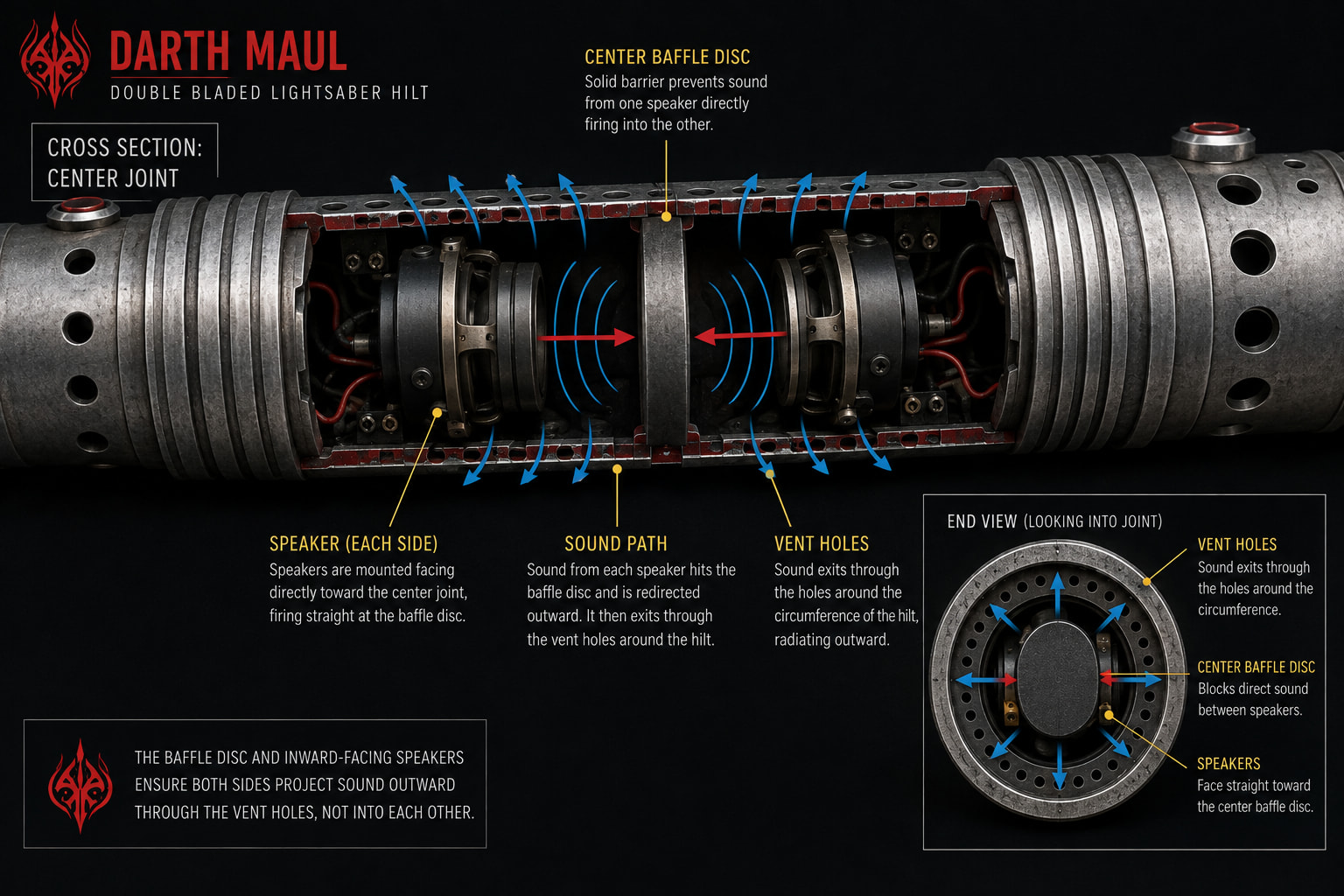
Depending on the venting, you could try a skinny baffle at the joint, like a thin disc piece of something. This would have the sound from each speaker exiting at 90 degrees spherically (side by side) out of the hilt before the sounds collide head-on.
It might help?
Actually, slightly angling the whole disc would let more waves bounce outward instead of reflecting directly back home, and then you’d sort of have more sound of each speaker coming out of either half-sperical side of the hilt. … if you can picture that.
Something like this:
Funnily enough I tried something like that before posting! Unfortunately I think the holes are just way too small for it. I whipped up a small part that slid into the joint and deflected the sound outward, but it didn’t do too much.
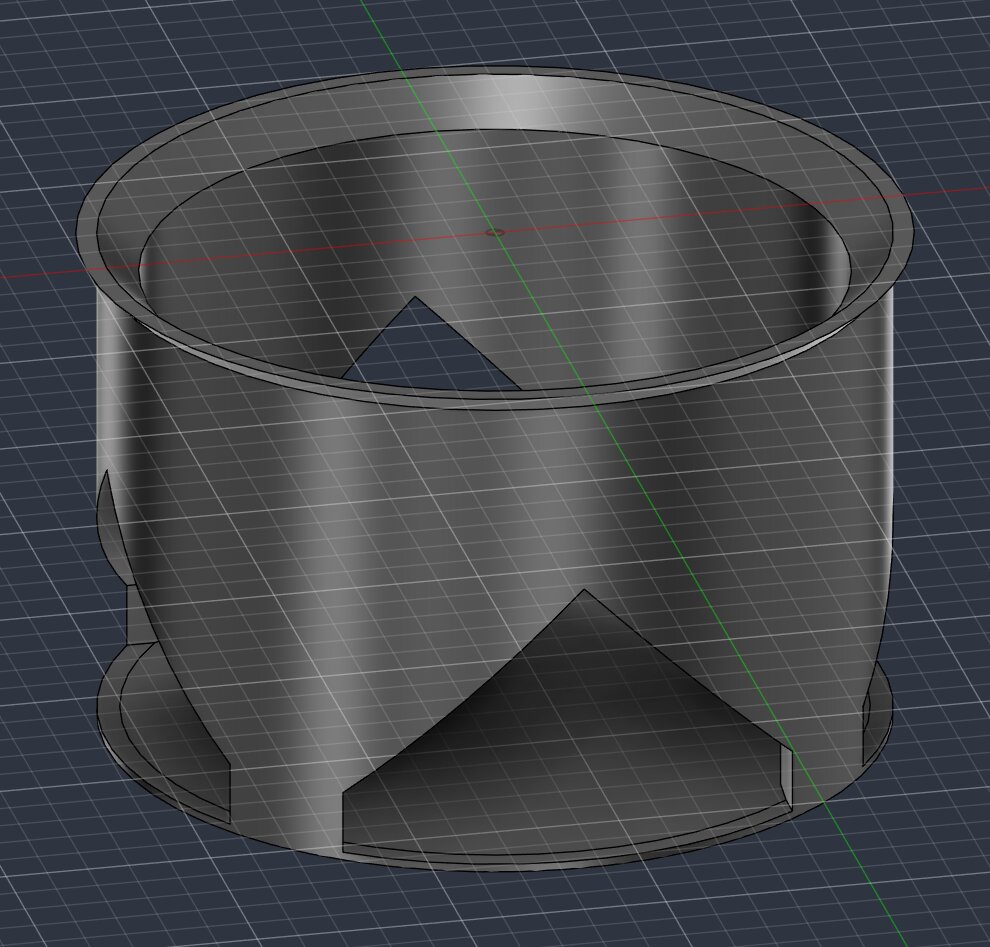
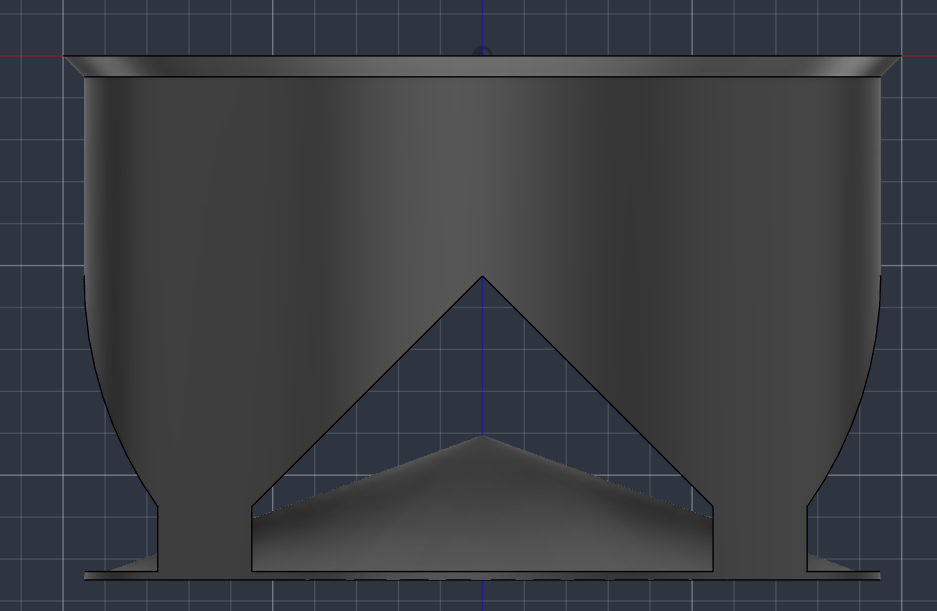
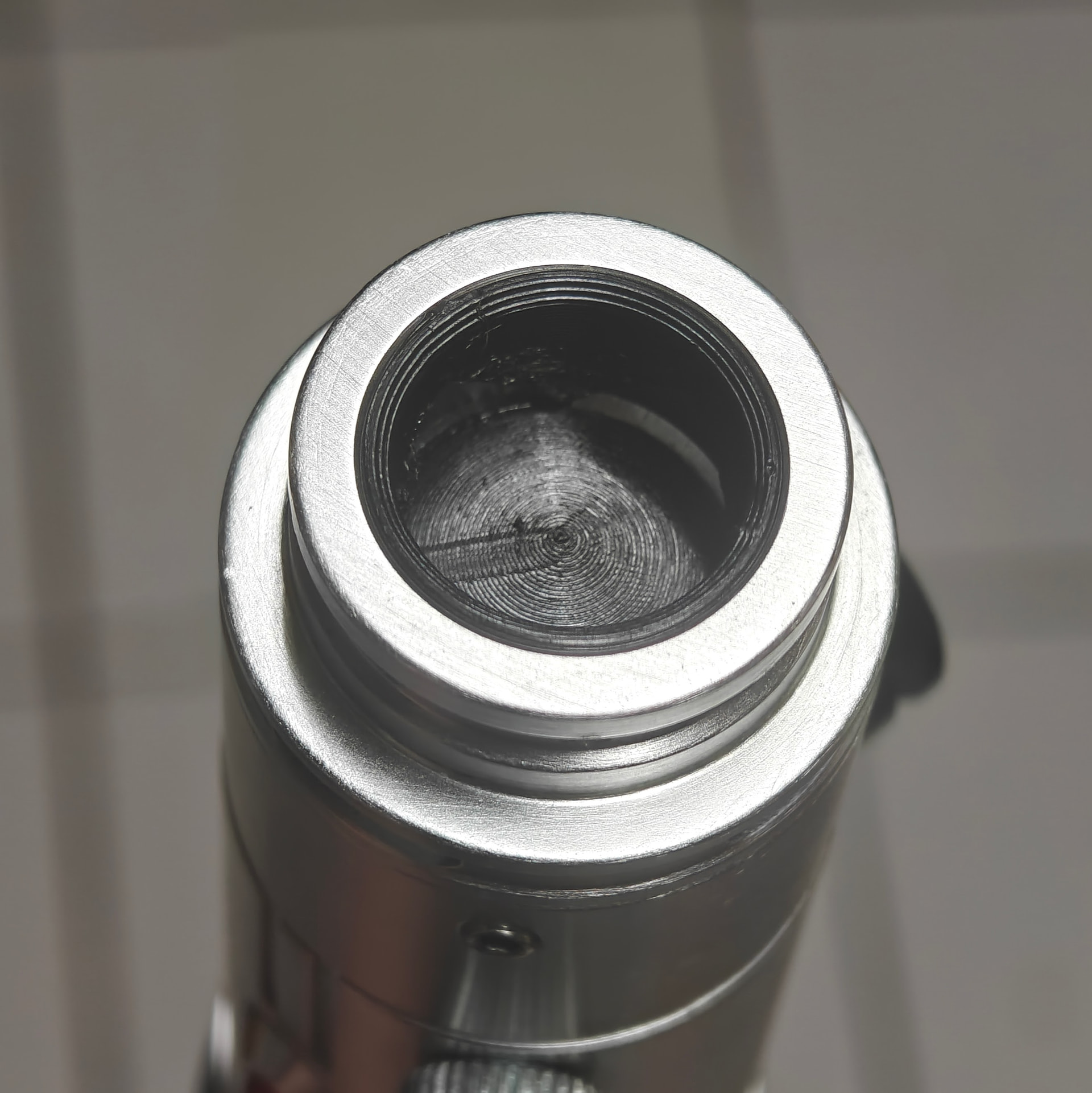
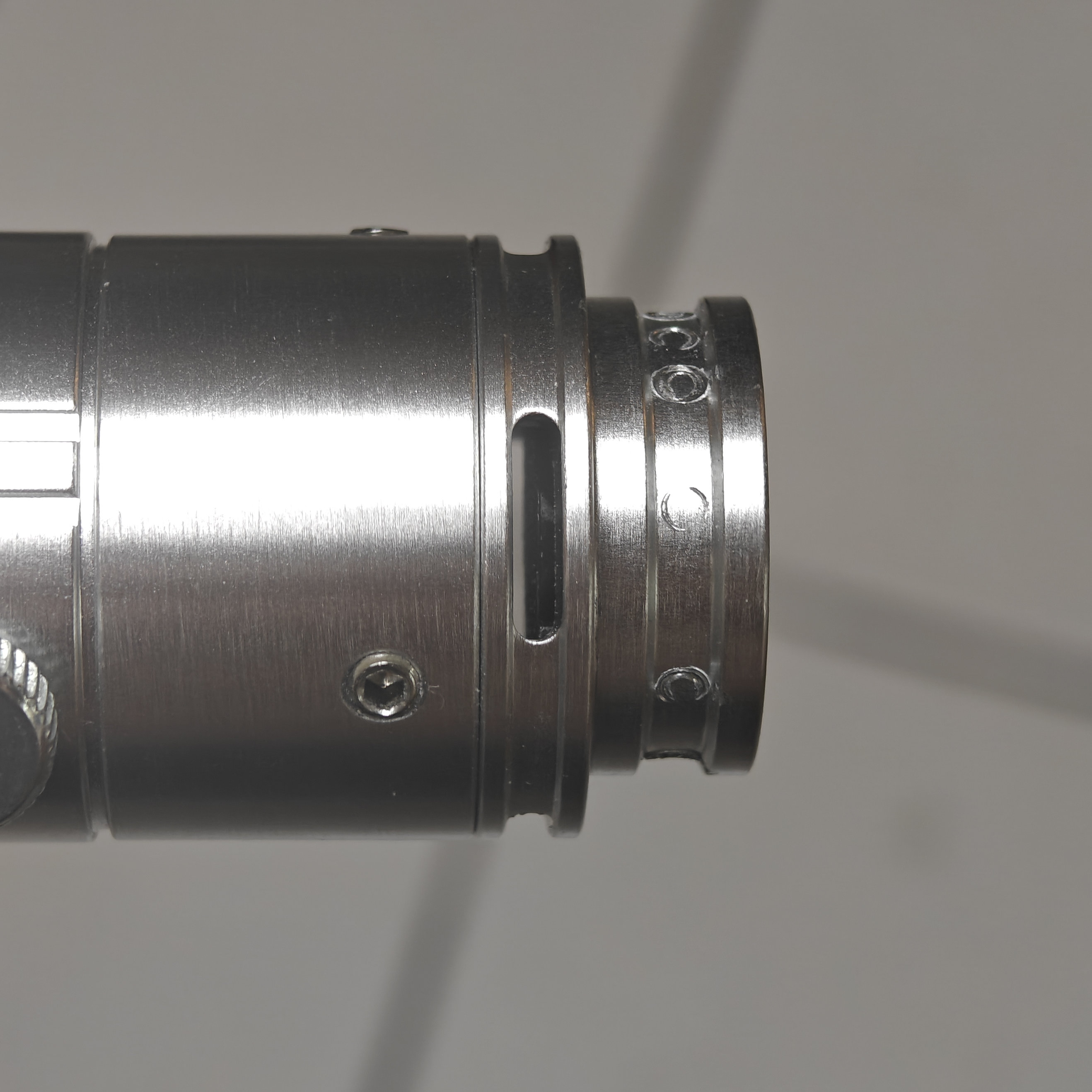
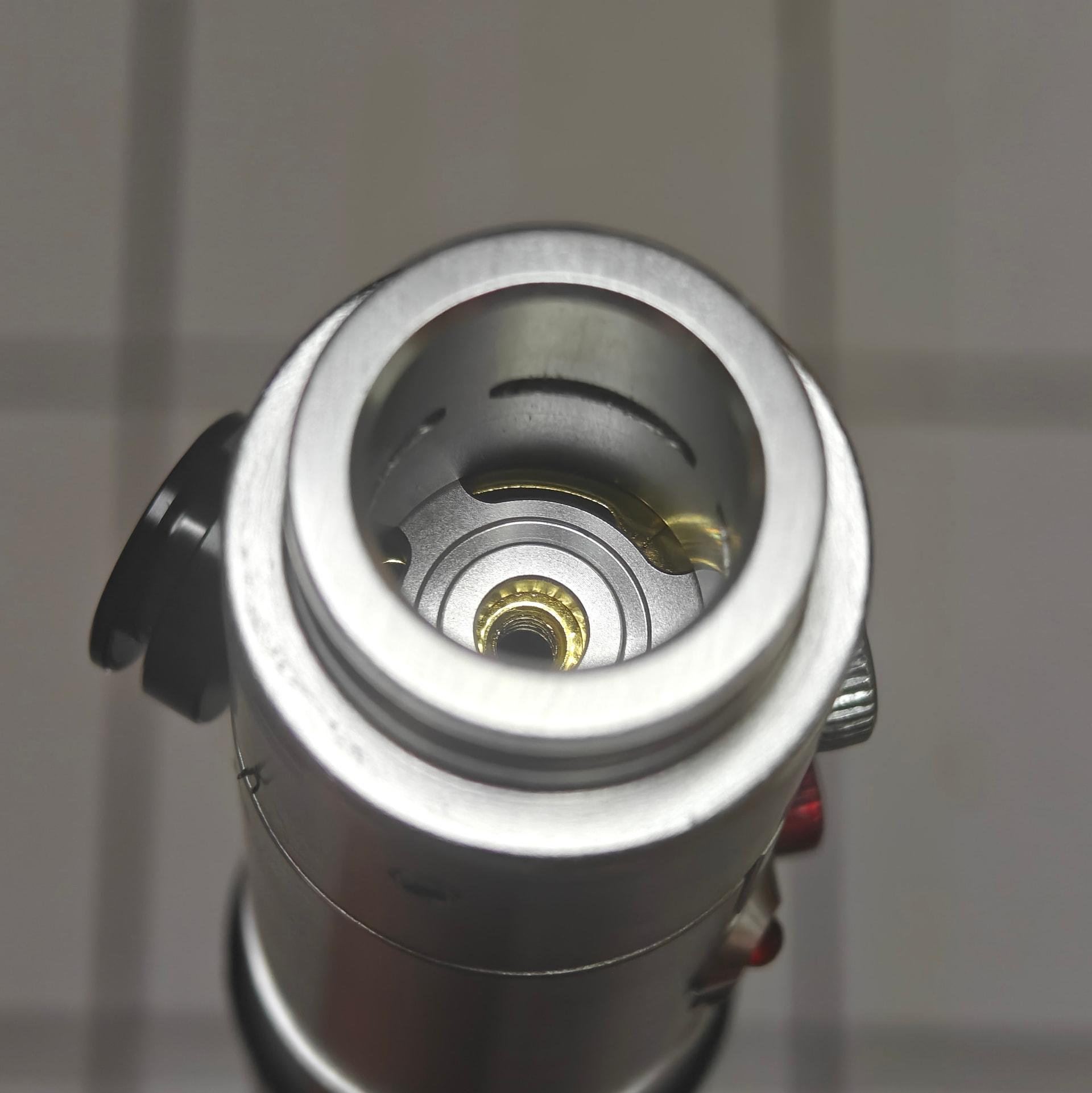
Your angled disk idea intrigues me though, I might try that…
The joint has 4 holes, so if I could funnel each speaker out of 2 opposite holes they might not collide nearly as much
I designed a little doodad that funnels each speaker out opposite sides of the joint piece there, and while the flanger effect hasn’t gone away completely, I think it’s definitely been reduced.
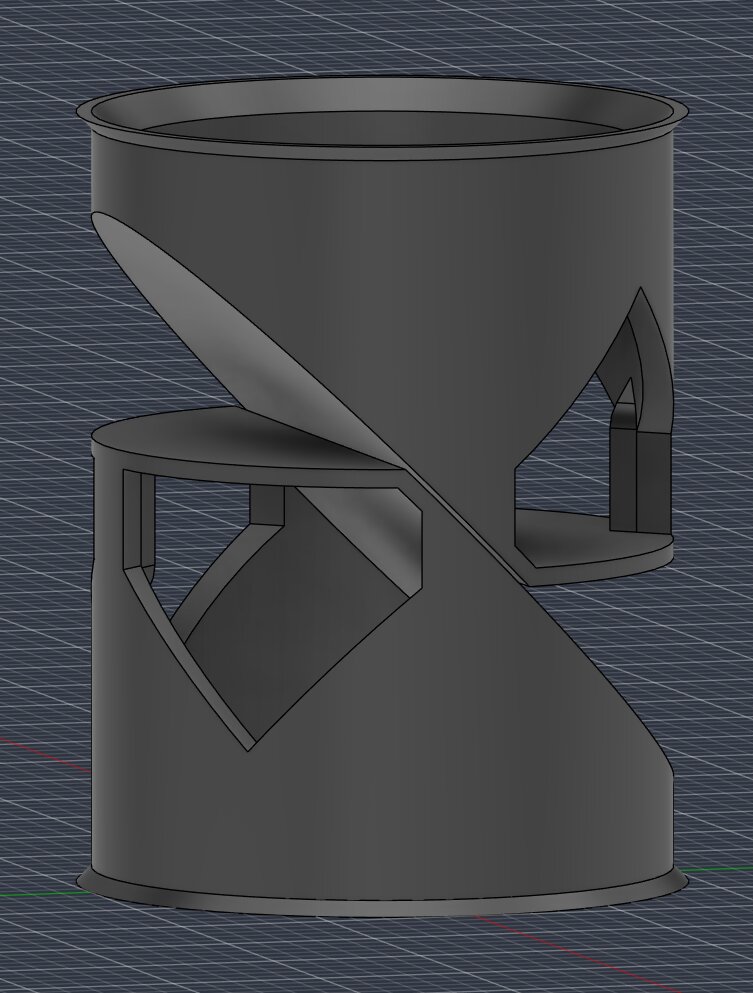
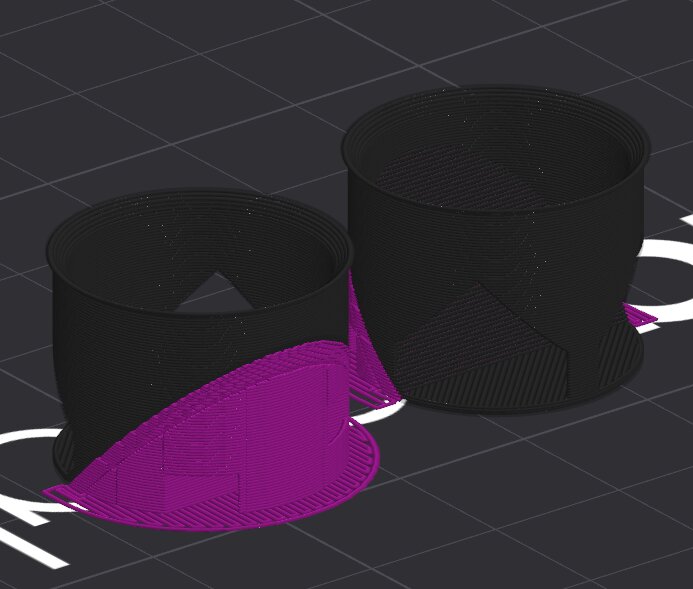
darth_maul_dual_speaker_fix_v2.stl (153.7 KB)
I’ve attached the STL to this post, so if anyone else has a Nexus/DamienSaber Maul v2 they can use it as well.
Interestingly, if I cover two of the holes (blocking one speaker completely) the effect goes away entirely, so it’s definitely something to do with how it’s interacting outside the saber.
…maybe I’ll just design a piece that blocks one speaker entirely…
I would experiment with the ProffieOS filter defines. Maybe using a filter one one saber but not the other will cause the sound to get out of phase enough to avoid cancelleation?
1 Like