I am trying to configure a crystal chamber to be always on even when main blade is off. I believe it is wired in series as the crystal always matches main blade style. I’d like to not have to change wiring if possible but I can’t get the code for sub blades to work properly. Looking for some advice on blade configuration and style codes.
Welcome!
Subblade info is here: ProffieOS Documentation: SubBlade
You just need to know how it is actually wired to make use of it. You could assume the crystal chamber is first then the hilt/blade, but it would be wise to try to see it for your self first.
If its a purchased saber, or someone installed it for you, I would try to contact them if you can not see the wiring easily.
If it matches the main blade without having any special entries in the config file, then it’s most likely wired in parallel, which would mean it cannot be controlled individually.
If it is indeed wired in parallel, you need to change the wiring if you want to make it individually controllable.
Do you have a working config file? If so, post it and we should be able to tell how it is wired.
TEST.h (1.5 KB)
Here’s the latest config I have working. This got the sub blades to work, but I need to dial in the lengths of each.
My plan was to dial back the Green blade to only the chamber, then figure out how to make it stay always on, then reverse engineer my other presets with the same formula. Do you think that would work?
UPDATE:
I have brought the sub blade down to Pixel 0 only.
The crystal chamber, a single blade connector LED, and the first pixel of the blade once fully installed are all lit.
Unfortunately, I believe this has officially turned into a hardware issue
Yep, this means they are connected in parallel, and you would need to change that to be able to control them individually. Unless the installer glued everything, it’s not that hard to change, but it depends a little on how handy you are with a soldering iron.
I’ve done some digging in the internals and located the 3 wires for the crystal chamber. They are the red, yellow, and blue toward the top of this image.
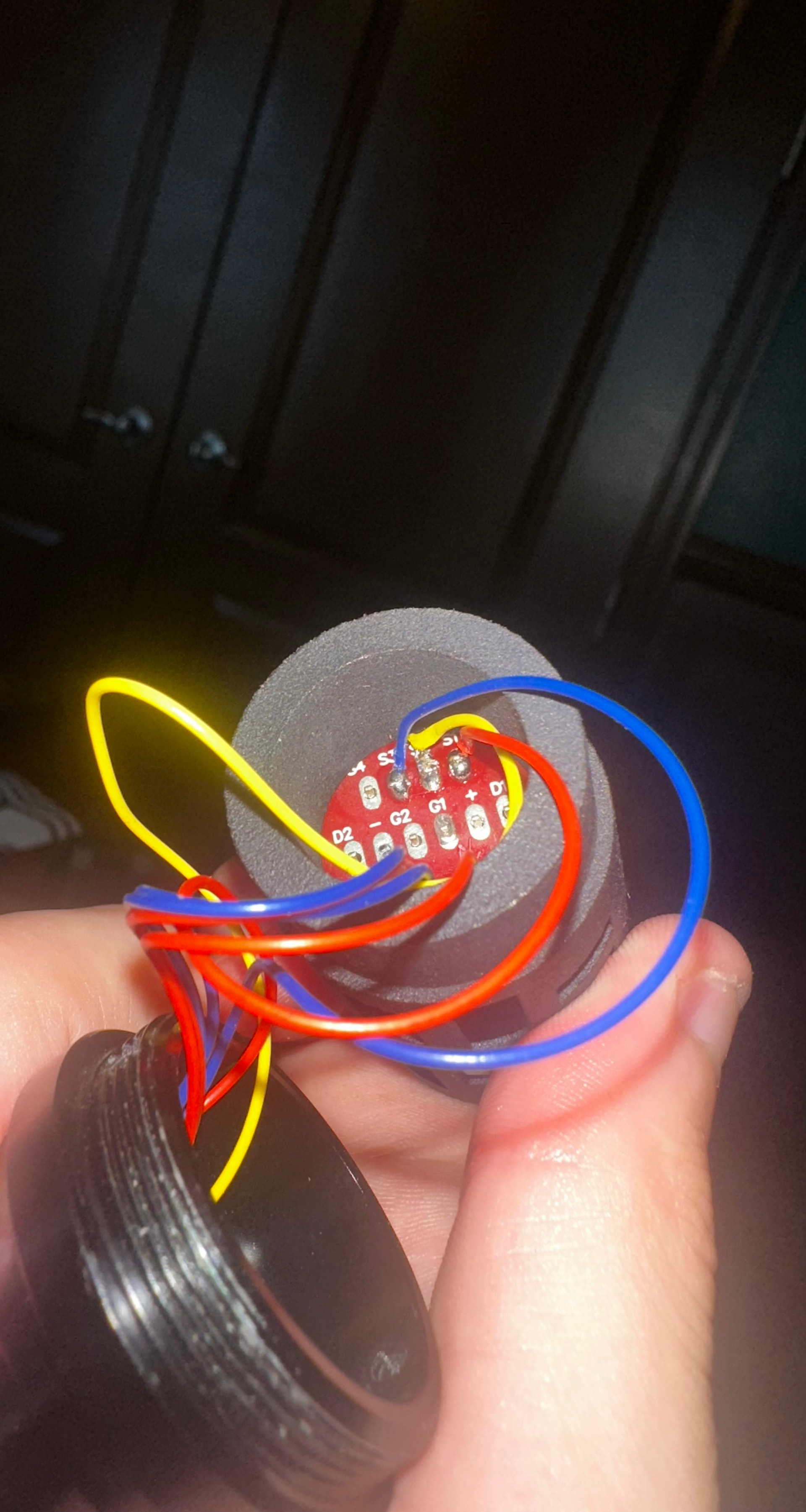
Is there any standard for what wire is what? And once the correct wire is identified, where should it be connected?
There is a good chance that red is +, blue is - and yellow is data. But you can’t trust that people do it that way, you have to verify by checking where those wires connect to.
Once you find the wire that goes to the crystal chamber, connect it to Data2, and also connectr the negative side of the crystal chamber to an unused LED1-6 pad, after that it’s just a matter of updating the config file to match.
I’ve swapped the Data to both Data2 and Data4, and connected the negative to LED6 which is unused. The chamber still only lights when connected to the main data channel AND and the original grounding.
I’m not sure what I did wrong as i tested continuity with a multimeter for every connection.
And you re-programmed the board to use these new connections?
I did, I reflashed with a few various configs looking for different bladepins and powerpins to see if that would help. There’s a real chance my soldering just sucks, it was my first time. Everything stuck and it tested good with a multimeter but I’m not sure how good all that needs to be for it to work.
With all the cut wires and resoldering I decided it wasn’t worth pursuing any further and risking damaging the board beyond repair back to its original state. It has been returned and I will proceed with the physical masking of the unwanted pixels to achieve the effect.
Thanks for all the help!