Battery Level Blade Styles - Check My Thinking

Check my thinking, as I’ve not done much with battery level styles in the past…

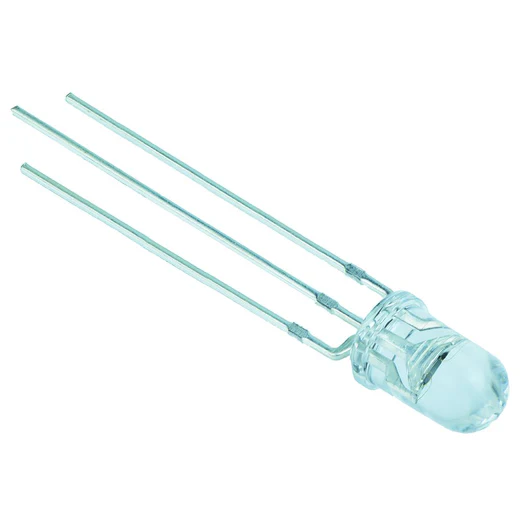
I have a two-colour basic LED - red and blue with common anode.
I want the following behaviour:

Blade off - slow blink blue unless the battery level is low in which case it just lights red.
Blade on - fast blink, alternating blue and red.

Will this code do it?

// Switch LED, Red Side:
StylePtr<InOutHelper<Blinking<Red,Black,1000,500>,200,200,Mix<BatteryLevel,Red,Black,Black,Black>>>(),

// Switch LED, Blue Side:
StylePtr<InOutHelper<Blinking<Black,Blue,1000,500>,200,200,Mix<BatteryLevel,Black,Blinking<Blue,Black,2200,500>,Blinking<Blue,Black,2200,500>,Blinking<Blue,Black,2200,500>>>>(),

Thanks in advance. :slight_smile:

I don’t think you want Mix<> as that will blend the blinking layers together at different values, not delineate between.

You probably want something like this that changes out the function at different levels rather than blending different blinking speeds.

The White* will be solid when the battery is full, then begin blinking faster as the battery level drops, you can tweak as needed (I wrote on phone as not near a computer this weekend).
*on single color LEDs White is full power, whereas Red or Blue actually mean @33% brightness.

AlphaL<White,Scale<IsGreaterThan<BatteryLevel,Int<20000>>,BlinkingF<Scale<BatteryLevel,Int<100>,Int<1000>>,Int<500>>,Int<32768>>>

You probably want to go with a more contemporary style syntax, InOutHelper<> is much older and if you mix with current styles you may end up wasting a bit of memory.

I would go with:

StylePtr<
Layers<
ON EFFECTS,
InOutTrL<OUT TRANSITION, IN TRANSITION, OFF EFFECT>
>
>()

For Accents and Crystals, you can just set the OUT and IN Transition to ‘TrInstant’ as single LEDs can’t really show other transitions

2 Likes

Thanks Fernando. I’ll give it a try.

StylePtr<Layers<
  Blinking<Red,Blue,800,500>,
  InOutTrL<TrInstant,TrInstant,Layers<
    AlphaL<Red,Int<32768>>,
    AlphaL<Blinking<Blue,Black,1600,500>,IsGreaterThan<BatteryLevel,Int<16384>>>>>>>()

edit blinking times and battery level to taste :slight_smile:

1 Like

Thanks Brian.

It will actually be two channels, just using white/black to set ON and OFF. (It’s effectively two single colour LEDS but built into the same unit. See pic).

So the behaviour for each individual channel would be:

Blue channel:
Blade off - slow blinking. BUT if battery is getting low, blinking stops and blue turns off altogether.
Blade on - Fast blinking regardless of battery level.

Red Channel:
Blade off - Off unless battery level is low, at which point it turns on.
Blade on - Fast blinking, alternate against the blue channel, regardless of battery level.

The above should give the observed behaviour to the user of:
Blade off - slow blink blue unless the battery level is low in which case it just lights red.
Blade on - fast blink, alternating blue and red, regardless of battery level.

So this is the code I’ll try when I get a chance later today:

//  Blue Switch LED:
StylePtr<Layers<
  Blinking<Black,White,800,500>,
  InOutTrL<TrInstant,TrInstant,Layers<
    AlphaL<Black,Int<32768>>,
    AlphaL<Blinking<Black,White,2400,500>,IsGreaterThan<BatteryLevel,Int<8500>>>>>>>(),

//  Red Switch LED:
StylePtr<Layers<
  Blinking<White,Black,800,500>,
  InOutTrL<TrInstant,TrInstant,Layers<
    AlphaL<White,Int<32768>>,
    AlphaL<Black,IsGreaterThan<BatteryLevel,Int<8500>>>>>>>(),

I’m guessing 8500 is equivalent to about 3.35 volts.Let me know if I’ve got that wrong.

4b51e86a-f4f8-4371-8978-f6d102f7e548_b57a390c-8d71-426e-a928-61746ff34b63_521x521.jpg

You can control both channels with one style if you prefer.

1 Like