If you look closely are there any small bumps on the edge where with pcb might have been connected to a larger sheet during production? Those can go.
No just generally larger circumference than the PCB holder.
The sanding did the trick though and I got it working now  after shaving the sides down a bit i followed the tip of pressing it against a flat surface to pop it into place. Doesn’t seem like any glue is needed either, so should be easier to disassemble if I need to replace the tube again, and hopefully I can re-use the same PCB holder (wishing I ordered more backup tubes now with my order).
Also the PCB seems more flat now in the blade, and the blade seems more snug than the last one, so hopefully i can use less retention screw tightening going forward to extend the lifespan of the tube.
1 Like
Aaand I’m back - one thing I’m noticing now is the brightness of the blade is noticeably different on one side vs the other.
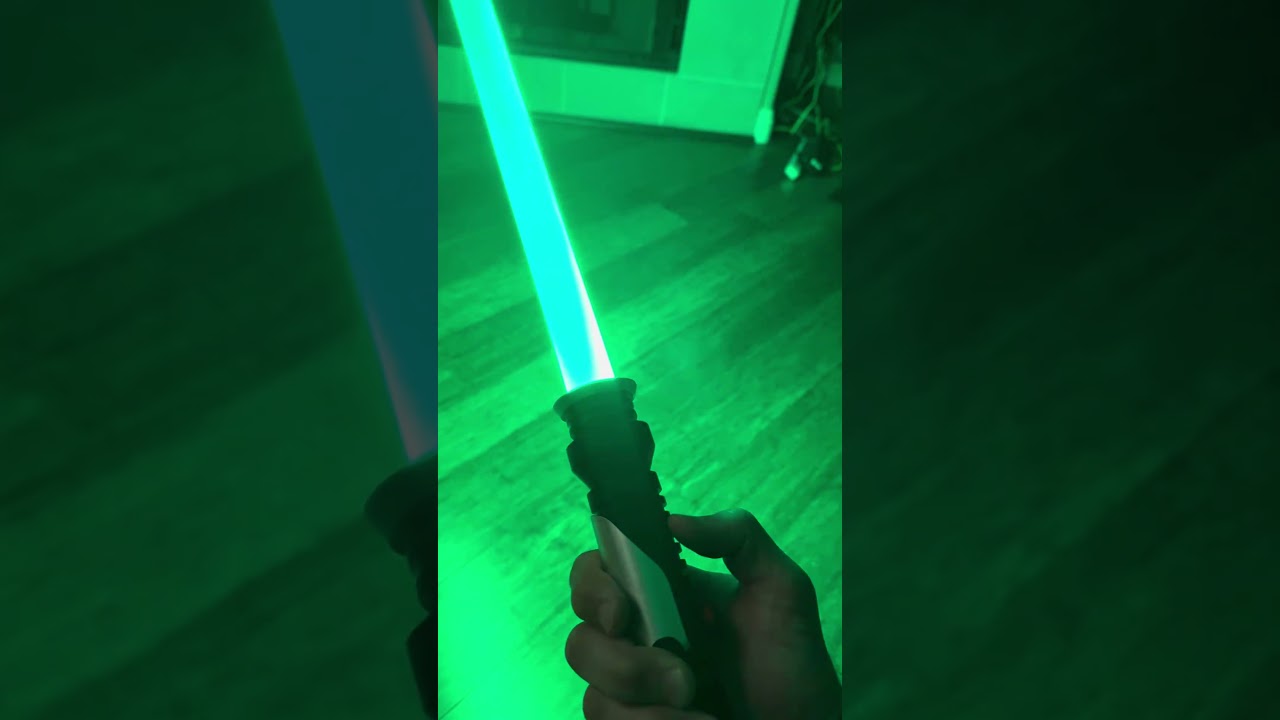
I’m pretty sure it’s an issue with the diffusion wrap, but if so what would be the fix for that? I pretty much just pulled everything out one tube and slipped it into the other. Maybe a portion of the diffusion wrap should be cut off?
Could also be that this is normal, and I’m just scrutinizing it more now that I’m actively putting it together 
Looks like one side of the blade just isn’t lighting up.
Is it two pixel strips joined together or a double-sided PCB with pixels on both sides?
Yyyep you’re right… it’s a two-sided strip. I just tried pulling out the foam and wrap so I could see the LEDs clearer and I see only one side lighting.
Guess I broke something trying to sand it down. Am I SOL?
Edit: Or I suppose what I need to do is figure out if it’s the strip or the PCB that’s broken. Most likely the PCB.
I doubt it’s the PCB.
Anything is possible of course but the PCB provides the same signals to both strips, so if one works, it should be possible to make the other one work too.
- check all solder joints
- check that the strip isn’t backwards (either in polarity, or in data direction)
- check continuity from PCB rings to strip with multimeter
If none of these things help, try a different LED strip.
In typical Murphy’s law fashion, my arts and crafts project has become an electrical job (not exactly my forte  ) Below is what I’m working with for reference, if I can be clued in on what I’m looking for
From what I can tell, I seem to have continuity on the bad strip from the GND/VDD lines along the corresponding corners (joints?) of the LEDs. I also have continuity between the GND/DIN/VDD solder point and the respective rings on the PCB.
I’m suspecting the issue is that it’s not getting any data. Is there a way to check for continuity between the DIN pad and the LEDs?
I’m not exactly sure how these are connected internally, so it’s hard to know where the problem is. It could be that one of the LEDs is burnt out for instance. Since these are integrated, I feel like there is no way for one side to work and the other side to not work if everything was working correctly.
I suggest taking it up with KR sabers and see if they can help, especially if there is a warranty of some sort.
Hmm well as I understand it, it’s two separate strips joined together (think i mentioned two-sided which would be a bit misleading). Idk if that makes it feasible that one strip could be damaged while the other one is ok. I half suspect when I was sanding the PCB that I may have bent the strip and broke something internally in the process.
In fact there’s a particular bend-point in my strip where I suspect the problem would be, but ideally would want to test connectivity first. Theoretically if there was a break in the wire there, would the move be to cut through the plastic and try to solder the broken wire? One post on Reddit for a similar situation mentions applying heat to burn away the casing to get to the wire…
That’s quite a warranty violating move, and may affect your ability to get hep from the manufacturer.
Ouch, not great. That’s basically on the user, unless it’s warrantied for full dueling.
Do you have this blade pcb connected to it? Not too hard to get on, easy to reflow, difficult to remove without something like a hot air station (which I don’t have yet  )
)
There’s not much you can do except reflow the joints (heat them with a tinned iron and a dash of flux). I think it’s worth try, but will prob do nothing.
If nothing changes, you need another stick. The pcb is likely fine they are pretty tough compared to a pixel strip. If you’re going to use the blade for hitting things, I recommend back to back
You’ll have a slightly lower pixel density and it does make a difference with effects, but much much higher chance of the blade surviving impact.
If you decide to go wild and melt the pcb to get to the wires…that’s a bold move. I get it though things are expensive.
No, not those. “Normal” LED strips are, but what you bought is not a normal PCB strip. It is a single rigid PCB specifically designed for being used inside a blade. A bend in that strip is a catastrophic failure that I would consider basically unrecoverable, if you’re saying that the PCB itself is bent… those aren’t made to bend at all, only way they bend is if they’re broken.
I don’t understand why you would want to do this, as I understand you assembled this blade? Did you glue the connector PCB holder to the bottom of the polycarbonate? If so, heat probably isn’t your friend in any case. You’ll be left with a damaged connector PCB, probably damaged/warped/unusable polycarbonate tube, and damaged connector PCB holder.
I would ask for clarification on what you mean by bend, but if you are referring to the “Pixel Stick” PCB itself, then there’s not any point in taking the blade apart destructively, because at that point there’s nothing to salvage.
Definitely clarify that, there may be a disconnect in terminology here also. (In a few places it seems that way, so it’s good to make sure everyone’s on the same page). And I would hesitate to do anything drastic before that clarification.
1 Like
Originally I bought a fully completed pixel stick, but the plastic tube broke (the ‘blade wall’), so I bought a new tube and PCB holder, so I could basically just move all the internal components (foam, LED strip, diffusion wrap, PCB) into new housing. But the PCB didn’t fit in the PCB holder, so I tried to sand down the circular PCB disc to fit in the holder.
…you know what, now that I think of it, the bend in the strip actually came from when the casing first broke. The whole thing came apart mid-swing from the broken-down tubing, and it basically folded the LED strip. That’s probably what actually broke the LED strip and why only one side is lighting now. Granted when I was sanding the PCB, this was with the LED strip still attached to it, and I thought I maybe damaged the strip in that process, but the fold from the swing is probably what caused it. For the record, I don’t do any sort of heavy dueling with the saber just swing it around.
But in any event, when I was talking about the ‘heat,’ approach I was talking about the LED strip. The videos I’ve seen typically talk about cutting away the bad sections of LED strip and then re-attaching the rest with wiring to soldering pads, which doesn’t seem to be an option with this strip. Wasn’t sure if there was some wiring inside the white casing of the strip that I could dig in to see about fixing broken wiring, or if it’s some elaborate circuitry that’s not getting repaired.
But yeah I had the blade for about two years. Warranty probably wouldn’t be a thing at this point, but maybe I can reach out and explain what happened. Buying a new blade doesn’t break the bank for me, but it’s a bit annoying doing it after I just paid the shipping for the replacement tube assuming my led strip was fine. In hindsight i should have made sure my strip was still good, but i wouldn’t have known how to test it until I had the PCB holder to align it correctly in the hilt and turn it on.
I see. This makes more sense now.
Yeah, PCBs aren’t made to bend (there are some that are, but not these at least), so some internal connections having been broken is what happened I’m sure.
Oh, I see.
But you’re right, that wouldn’t be possible for this.
Well, you could argue both. 
But no not realistically repairable.
Well, that’s unfortunate. I suppose you’ve figured it out by now, but I’ll say the obvious in that your only real path forward is buying new LEDs. I guess from the tube you’ve already got the relevant links. The good news I suppose is that now you’ve got an idea on how to prevent damage from the retention screw a little, so once you’ve got things together it hopefully lasts longer! Something along the lines of learning by experience .
I wish you luck.
2 Likes
Back again - so I got the new LEDs and wired them up. Tried it out for a bit then noticed the sound was off. Now with the blade removed the sound is wonky (particularly at the moment the hum goes in and out, but other effect sounds come in clear enough).
I haven’t checked the speaker wiring yet but this is oddly coincidental that this just happened right when I tried the new blade. There were some caveats about using the correct wiring for the blade (I used 18 AWG per the suggestion of 18-20AWG) and having a powerful enough battery (same one for same blade).
Back when I first installed the hilt I made the error of manually touching the pins to the blade and fried the board, but everything was aligned within the hilt. Would something have overloaded when I connected the blade?
Usually the thing that fries stuff is shorts.
- and - connects together and things starts getting hot and at that point it’s a race to see if the board breaks or the battery protection circuit kicks in.
Data lines can also fry, but I’m not exactly sure what causes that. It’s been a lot more rare since I put a resistor on data1 though.
Hmm speaker wires seem good - and after putting it back together the sound seems back to normal. But another important detail is that I have a faulty wire somewhere in the hilt, which I suspect to be the data line.
The hilt has a sled design where the board slides into the hilt, and the wires have to kind of fold in. Over time of opening and re-folding to re-program the board, I suspect that caused the break in a couple wires. The battery negative was for certain damaged, which I replaced.
I’m not too sure how to check for a faulty wire vs one that’s completely broken, if there’s any suggestions usually they seem good continuity-wise until they angle just the right way for connection to be bad. I was able to tell easily with the battery negative wire, because all I had to do was push on the section of wire with the bend, and could see the LEDs + sound flicker.
But what’s weird to me is that the issue with the faulty wire usually manifests with sound and lights cutting off completely, and then quickly hearing the boot sound pop back up. This is the first time where it was specifically sound that glitched out, so I figured if the data line was the issue, everything would just black out. On a side note that power cut-out only happens if I’m swinging hard with the chassis uncovered; otherwise when it’s aligned in the hilt I barely if ever have that issue (hence why I’ve evaded it also not wanting to crack open the crystal chamber section where the rest of the wires lead).
And when I did try to put the blade back in, the sound seems clear for a little while, but then starts to sound scratchy. Maybe that issue ties back to the suspected data line breakage, but again, I’d suspect that issue would manifest in a complete blackout. Would the issue be that the higher power load from the blade connection basically be creating a new symptom for the common issue of a bad data line?
That sounds a lot more like a short.
- and - (blade -) both touching the hilt for instance.
The battery cuts off the power, board reboots.
If the short is between blade - (LED2/3) and BATT+, then the short only exists when the blade is powered, which is why the board can reboot. (If the short was there all the time, then the battery protection circuit would just stay off.)
For a bit of added context - the cut happens with a hard swing, but when I put the top back on, it’s much harder to trigger the outage.
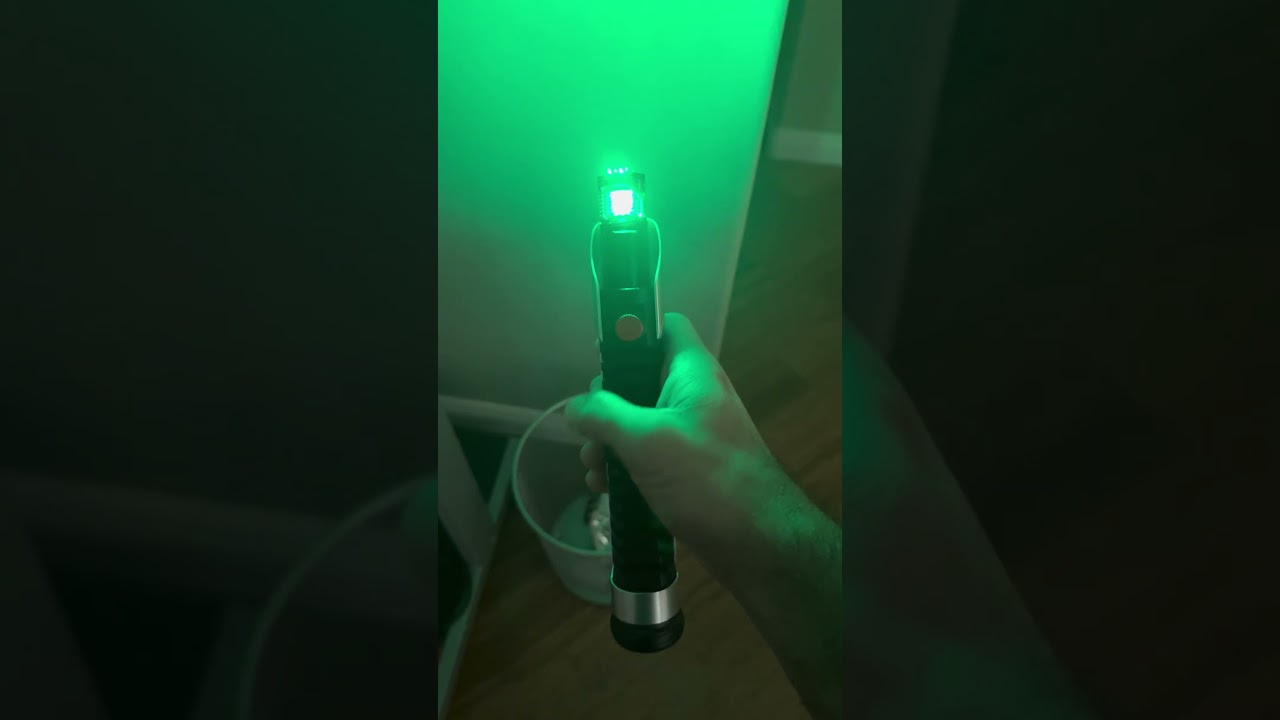
I was guessing the wire kinks somewhere mid-swing that makes it cut out. If I’m understanding correctly, a short would mean it would be an issue occurring even if idle and not being swung around(?)
Yes unless the short was caused by the swing creating contact between things that stay apart when it’s just being held. It could be your battery losing connection with its housing.
I think I was misunderstanding something.
This can either be a kink, a short or a disconnect.
A short and a disconnect would look pretty similar as a short can cause the protection circuit to cut in momentarily. If it’s a disconnect it would have to be between board and battery though. A disconnect between board and blade wouldn’t cause a reboot.
Shorts could be anywhere, the result would be the same.